기사입력 2018.03.26 10:05

오토데스크와 경기콘텐츠진층원이 22일 경기도 AR·VR 육성 사업을 중심으로 하는 양사의 협업을 위한 양해각서를 체결했다고 밝혔다. 이번 양해각서에는 AR·VR 육성을 위한 소프트웨어 및 기술 인프라 도입에 대한 양사의 협업과, 국내 AR·VR 기술에 대한 투자 유치 및 시장 활성화와 국내 전문가 양성에 대한 내용이 포함됐다.
2017-09-25 오후 2:57:29by 김자영 기자
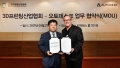
오토데스크와 국내 3D프린팅 업계의 대표적인 비영리기관인 3D프린팅산업협회가 오는 27일 코엑스 컨벤션 센터에서 열린 ‘오토데스크 유니버시티(Autodesk University) 코리아’에서 국내 3D 프린팅 기술 확산 및 기술력 강화를 위한 양해각서(MOU, Memorandum of Understanding)를 체결했다. 이번 양해각서는 오토데스크 Fusion 360을 3D프린팅산업협회의 교육 및 자격증과정의 표준 툴로 도입하고, 국내 3D프린팅 전문가 양성 교육 및 일자리 창출과 기술 이전에 대한 협력을 통해 궁극적으로 국내 3D프린팅 산업 발전을 도모하는 양사의 협업 내용을 포함한다. 3D프린팅산업협회는 지난 3년간 3D프린팅 전문가 양성 프로그램을 통해 10,000여 명의 교육 이수생을 배출한 바 있다. 양사는 이번 협업을 통해 3D프린팅산업협회에 소속된 300개 회원사와 30개 교육 시설의 표준 교육 툴을 Fusion 360으로 채택하고, 3D프린팅 기술 확산 및 기술력 강화를 위한 지원을 이어 나갈 예정이다.
2017-09-27 오후 2:37:04by 김자영 기자
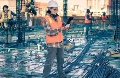
오토데스크가 미국 라스베이거스에서 개최된 제25회 오토데스크 유니버시티에서 건설 프로젝트 라이프사이클을 보다 완벽하게 연결해주는 차세대 클라우드 서비스 BIM 360 플랫폼을 공개했다. 이와 더불어 서드파티 소프트웨어 애플리케이션과 데이터를 BIM 360 건설 워크플로우로 통합시켜주는 BIM 360 통합 파트너 프로그램인 ‘커넥트 앤드 컨스트럭트 익스체인지(Connect and Construct Exchange)를 50개 이상의 공식 BIM 360 통합 파트너사들과 함께 선보였다. 오토데스크 포지(Forge) 플랫폼에 탑재된 차세대 BIM 360은 프로젝트 관련 모든 데이터를 한 곳에 집중시켜 건설 프로젝트 라이프사이클 전반에 걸쳐 정보를 기반으로 의사결정을 내릴 수 있도록 돕는다. 오토데스크 포지(Forge)는 통합형(connected) 개발자 클라우드 플랫폼으로 사용자와 파트너가 엔지니어링, 건설 및 제조 작업 시 확장 가능한 맞춤형 솔루션을 제작하도록 돕는다.
2017-11-20 오전 11:15:06by 김지혜 기자


[열린보도원칙] 당 매체는 독자와 취재원 등 뉴스이용자의 권리 보장을 위해 반론이나 정정보도, 추후보도를 요청할 수 있는 창구를 열어두고 있음을 알려드립니다.
고충처리인 장은성 070-4699-5321 , news@e4ds.com