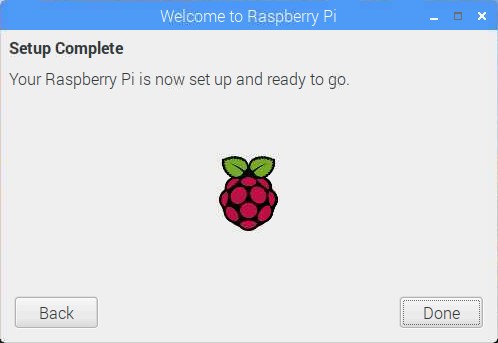
Raspberry Pi Initial Screen Setup (Raspbian 2019-04-08 Version)

네오즈 · 2019-09-26 · 4
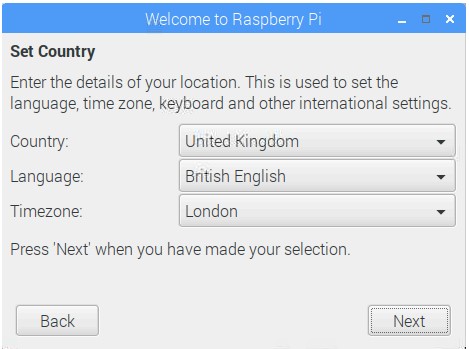
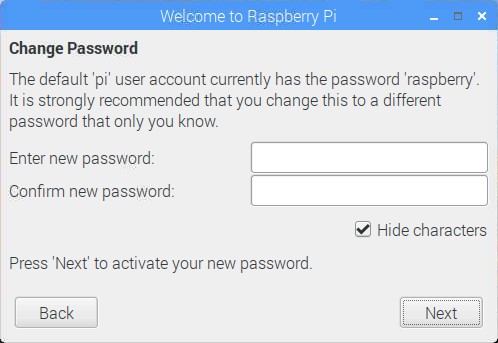
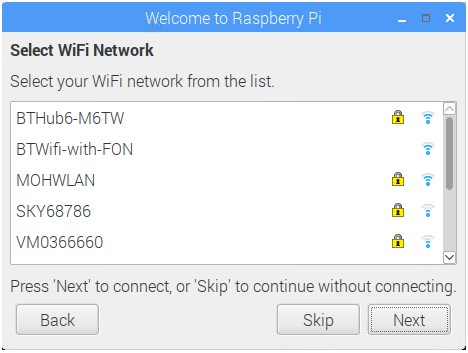
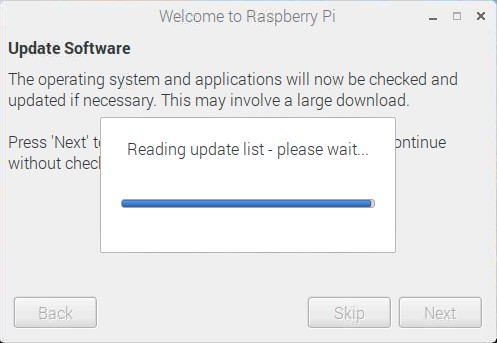
## Raspberry Pi Initial Setup Screen 1. Country Settings (Set to UK for WiFi configuration; can be changed to Korea later in system settings) [Image: http://192.168.10.9:3000/img_e4dsmake/ck/UX13E1LZE8MDXMR7UXXM.jpg] 2. Password Settings (If no password is entered, default user: pi, password: raspberry) [Image: http://192.168.10.9:3000/img_e4dsmake/ck/X5WU0ETDXOA7ULM9VAEK.jpg] 3. Wireless Communication (WiFi) Settings: Skip if WiFi is not available [Image: http://192.168.10.9:3000/img_e4dsmake/ck/P8E6MPBF25256BFUYJEB.jpg] 4. Update (Select Skip: Updates take considerable time) [Image: http://192.168.10.9:3000/img_e4dsmake/ck/1YZ17GMTS79P5DA6FSFW.jpg] 5. Reboot [Image: http://192.168.10.9:3000/img_e4dsmake/ck/9F7BFNH004OX2YFXFYN7.jpg]
4
댓글 0
등록된 댓글이 없습니다.