



Wacom Launches 3D Work Pen for Professional Designers
 Published2017.11.09 10:24
Wacom has introduced the Wacom Pro Pen 3D, a digital pen with new features that provide the best working environment for professional designers and artists.
The newly released product is designed for use with the Wacom MobileStudio Pro, Cintiq Pro, and Intuos Pro pen tablets released in 2017, and is equipped with three buttons to enable setup and control of 3D programs and applications. This function was developed at the request of creators in industrial design, game design, animation, virtual and augmented reality, and 2D/3D art.
“Creatives have been asking for a three-button stylus, and with the Pro Pen 3D we’re answering that need,” said Ed Neumann, vice president of marketing for Wacom’s Creative Business Unit. “The Pro Pen 3D will provide a significantly more convenient way for digital artists and designers to work efficiently.”
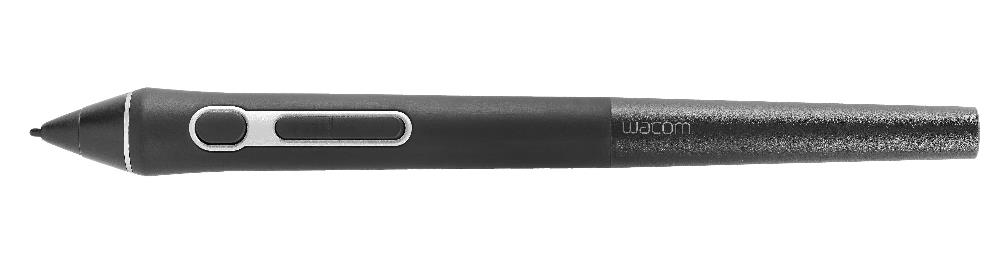
The Wacom Pro Pen 3D’s new button helps users manipulate and speed up the design process when sculpting in 3D software programs such as Pixologic’s ZBrush or Autodesk’s Maya. Designers and artists in particular can do most of their work in 3D programs using the three buttons on the pen, rather than using the keyboard. The third button has functions for controlling tumbling and rotation, allowing them to work on fine details of 3D models.
Users can customize the pen’s default settings, including frequently used tools, commands, and shortcuts, via the Wacom driver. For example, setting the third button as the default to activate the tumble and rotate functions allows you to change the orientation of the model you are working on more easily and quickly. The first button executes the ‘right-click’ function, and the second button can also be used to zoom when moving or touching the pen tip on the tablet.
The Wacom Pro Pen 3D includes all the features of the Wacom Pro Pen 2, including 8,192 levels of pressure sensitivity and a precise pen tip, plus a range of customizable settings to suit your individual working style and environment.
Comments
Related news
Wacom Participates in the Seoul Illustration Fair 2017
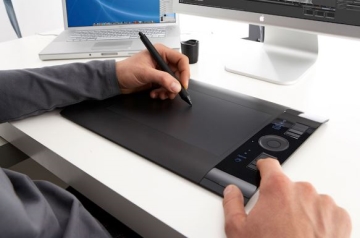
Wacom announced that it will participate in the "Seoul Illustration Fair (SIF)" and "Bucheon International Cartoon Festival (BICOF)" running through the 23rd, operating a Wacom booth where tablets can be freely experienced, and will conduct various prize events. The Seoul Illustration Fair, held at COEX in Samseong-dong through the 23rd, is a specialized exhibition introducing the illustration and graphic design fields, marking its third edition this year. At this event, Wacom will display and provide experience opportunities for the full lineup including the latest products such as Cintiq Pro and Intuos Pro for designers, illustrators, and others. In particular, Wacom specialists will provide one-on-one product explanations and consultations to visitors, and on-site purchases will be available.
2017.07.19by 김자영 기자
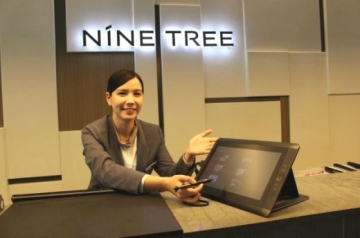
Wacom introduces tablets to hotels to improve work efficiency.
Wacom has announced that it has integrated Wacom liquid crystal tablets into PMS (Property Management System), a hotel operations management system. The hotel industry has recently been expanding the deployment of smart systems to create efficient work environments and improve customer service. NineTree Premier Hotel Myeongdong II has adopted Wacom liquid crystal tablets in its PMS, a hotel operations management system, to maximize employee work efficiency.
2017.08.07by 김자영 기자
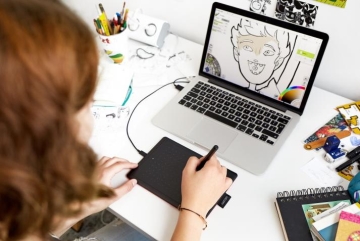
Wacom Launches Pen Tablet with Affordability and Portability
Wacom has announced the exclusive launch of 'OneByWacom,' an entry-level pen tablet designed for beginners, students, and amateurs, on the online marketplace 11Street. Wacom, which has led the creative tablet market for over 30 years with its proprietary pen technology, has released OneByWacom, a value-oriented pen tablet at an affordable price point preferred by tablet beginners. The 2,048 pressure level battery-free pen, which showcases Wacom's technological capabilities, enables precise work from sketching to coloring. With its refined design and compact size weighing 250g, it is easy to carry. Users can connect the tablet to a PC via USB cable without complicated installation procedures and begin using it immediately after driver installation.
2017.09.25by 김지혜 기자
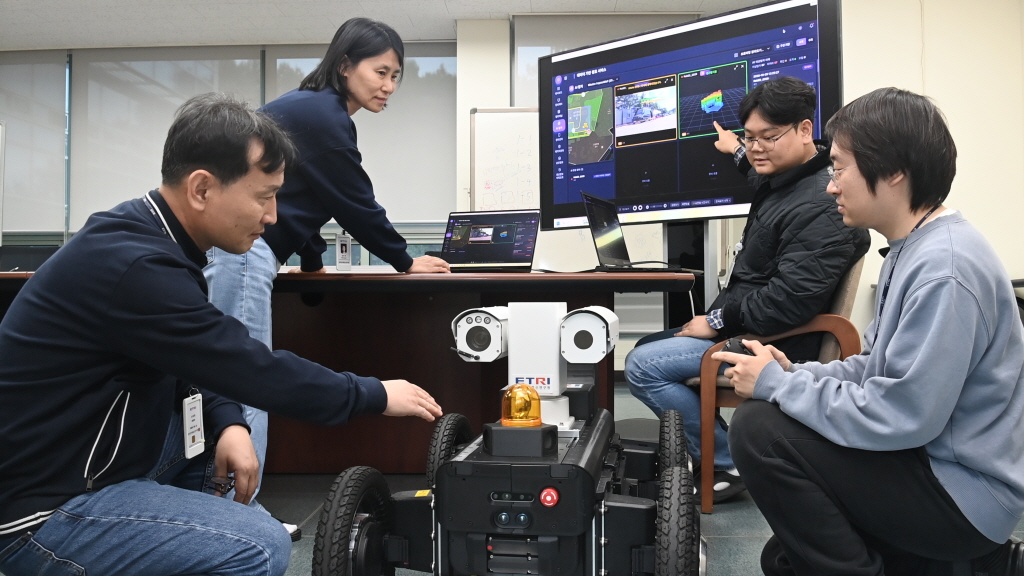
ETRI Unveils 9 Core AIoT Technologies…Leading Innovation in Digital Twin, Robotics, and Future Mobility
ETRI will participate in the '2026 AIoT International Exhibition' held at Seoul COEX for four days starting on the 3rd, showcasing 9 core technologies across 5 fields including digital twin, on-device AI, robotics, future air mobility (AAM), healthcare, and carbon/energy management. From intelligent digital federated twin, large-scale on-device AI integrated management, and Roji-Hub robot behavior learning technology to AAM positioning, AI unmanned surveillance, carbon footprint management platform, and smart livestock technology—these are technologies focused on solving problems in industrial sites and creating new value in everyday life.
2026.11.02by 배종인 기자

Kaspersky supports INTERPOL Operation Serengeti III…1,462 suspects arrested
Kaspersky participated in INTERPOL-led Operation Serengeti III by providing threat intelligence and technical analysis support, achieving results of 1,462 suspect arrests and recovery of $105 million in funds. The operation, which involved 20 African countries and the United States, targeted various crimes including cyber fraud, ransomware, and BEC over approximately two months, demonstrating substantial law enforcement effectiveness through international cooperation.
2026.11.02by 배종인 기자











