



Parallels Toolbox 2.5 Announced for Easy One-Click Work
 Published2018.02.22 14:30
Parallels, a global leader in cross-platform solutions, has announced updated versions of 'Parallels Toolbox 2.5 for Mac' and 'Parallels Toolbox 1.5 for Windows'.
Parallels Toolbox 2.5 for Mac, announced this time, helps Mac users complete tasks quickly and maximize productivity by making monotonous daily computer tasks easy to handle with just one or two clicks.
Along with this, Parallels also unveiled 'Parallels Toolbox Business Edition.' Designed for the enterprise, this version provides tools that save users time and grants IT administrators control and flexibility.
"Many employees waste time because they cannot simply and quickly handle basic tasks such as cleaning drives, screen recording for sharing, secure file archiving, and converting file formats to a suitable format," said Jack Zubarev, President of Parallels. "Users who are not familiar with computers have to familiarize themselves with the methods every time, or other solutions to address this are unnecessarily complicated to use."
He continued, "Parallels Toolbox helps users and businesses quickly complete these daily tasks with just one click." "This solution provides users with easy access to a suite of tools that are continuously being improved to support work performance and increase productivity," he said.
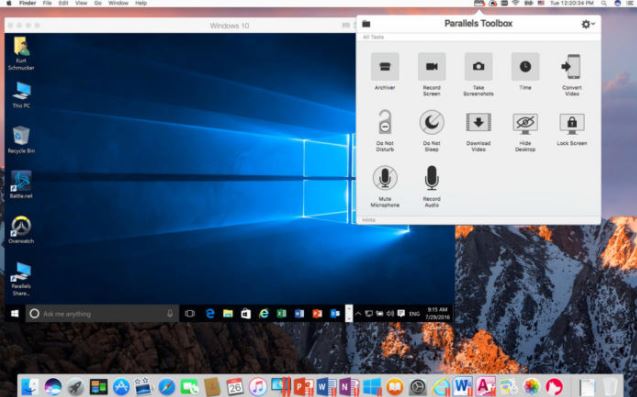
The new Parallels Toolbox 2.5 for Mac supports the following features.
Added features
Screenshot Page: Capture long web pages that exceed the browser size with a single click, and make it easier to use by adding a button to print and the Safari toolbar.
Free Memory: Optimizing Mac RAM usage, checking RAM capacity, and securing available memory is easy.
Resize Images: Batch convert images to your desired size and format. You can easily convert images by dragging and dropping original images into the tool window, specifying the desired size, capacity, and save location, and clicking.
Improved features
Clean Drive: Free up disk space with a single click by searching for, reviewing, and deleting duplicate files, identifying the largest files, and deleting temporary files from the OS and applications. The newly improved tool monitors the drive in real-time and periodically notifies the user to delete junk files from the file system (old logs, caches, backup files, etc.).
Video Download: You can start the download immediately by dragging and dropping or copying and pasting the video URL into the tool. In addition, you can preset the desired resolution (up to 1080p) and save location, and add Safari extension features for easy use.
Record Video: Record selected areas, screens, and windows as video with a single click, and pre-set audio sources, resolution, save location, etc.
Make a GIF: Quickly create a GIF file using a video source. You can pre-select the desired frame rate and resolution, drag and drop the video into the tool window, or open the video, adjust the start and end points, and add text.
Video Conversion (Convert Video): Drag and drop videos of various formats, such as TV programs or movies, onto the tool to convert them to MP4 format so they can be played on smartphones or tablets.
Improving Mac productivity
Archive: You can easily compress and encrypt files from multiple paths into an archive to save space and share files. Since you simply drag and drop the desired files and folders into the tool, there is no need to move or copy files into a single folder.
Unarchive: Quickly decompresses archives compressed in various formats, including RAR, RPM, XAR, and Z, including compression formats not supported by the system. Double-click to open the archive and start decompression.
Parallels Toolbox Business Edition provides the following features.
Manage licenses and subscriptions
Unified volume license key: Activate multiple Parallels Toolboxes on all computers within an organization with a single license key.
License Management Portal: Provides a simple and user-friendly dashboard that allows IT administrators to check license keys and expiration dates, and identify licenses in use and available.
Split license key into sublicenses: Protect the master license key by creating a limited number of individual licenses and sublicenses with arbitrary expiration dates.
Deploy and Customize
Mass Deployment and Administration: Rapidly deployed to computers across the organization through standard software development tools.
Customizable Tool Library: Quickly customize and control the list of tools available to individual employees according to their needs.
Comments
Related news
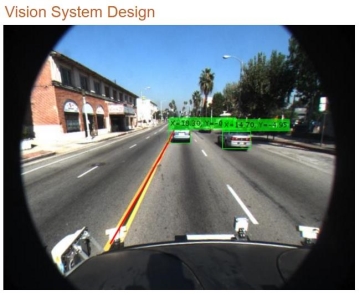
MathWorks Announces Release 2017a of MATLAB and Simulink Product Family
MathWorks has announced Release 2017a (hereinafter R2017a) of MATLAB and Simulink, which includes a variety of new features. R2017a also includes the Automated Driving System Toolbox, a new product for designing, simulating, and testing advanced driver assistance systems (ADAS) and autonomous driving systems. Additionally, updates and bug fixes for 86 products are included.
2017.03.10by 김지혜 기자

Access over 30 tools for Windows and Mac with a single click on your Mac.
Parallels Desktop, which enables Mac users to easily use Windows and Windows programs, has returned in an even more evolved form. Parallels announced "Parallels Desktop 13," a Windows virtualization solution that supports all features of macOS "High Sierra" for Mac and the forthcoming Windows 10. Parallels Desktop, which allows users to run Windows and Windows programs on Mac, is a virtualization solution that enables simultaneous utilization of the distinctive features of both Mac and Windows operating systems. The newly released Parallels Desktop 13 allows users to conveniently add Windows applications to the MacBook Pro Touch Bar and supports the use of the Touch Bar within Windows programs.
2017.08.29by 신윤오 기자
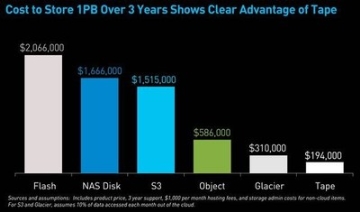
Quantum Expands Tape Library for Unstructured Data
Quantum announced that it will apply LTO Ultrium format generation 8 technology to its Scalar tape library and StorNext AEL archive systems starting in December. The latest LTO-8 tape expands the value of tape storage, which is characterized by low cost and high efficiency, with twice the capacity of LTO-7 and 20% performance improvement. It is a solution suitable for unstructured data that has been rapidly increasing recently.
2017.10.24by 김자영 기자

Group-IB Supports INTERPOL's 'Operation Serengeti III'…1,462 Suspects Arrested
Group-IB supported INTERPOL's 'Operation Serengeti III' with threat intelligence, successfully assisting international collaborative investigations across 21 African nations. During the operation conducted from June to August 2026, 1,462 suspects involved in transnational cyber crimes including phishing, Business Email Compromise (BEC), and ransomware were arrested, over $105 million in illicit funds were recovered, and 10,909 malicious networks were disrupted.
2026.11.02by 배종인 기자
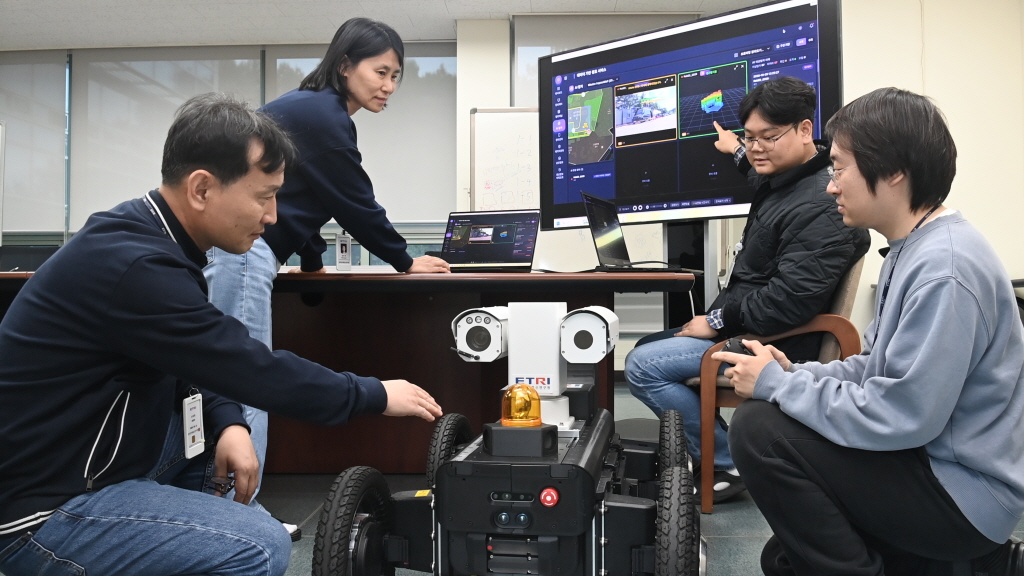
ETRI Unveils 9 Core AIoT Technologies…Leading Innovation in Digital Twin, Robotics, and Future Mobility
ETRI will participate in the '2026 AIoT International Exhibition' held at Seoul COEX for four days starting on the 3rd, showcasing 9 core technologies across 5 fields including digital twin, on-device AI, robotics, future air mobility (AAM), healthcare, and carbon/energy management. From intelligent digital federated twin, large-scale on-device AI integrated management, and Roji-Hub robot behavior learning technology to AAM positioning, AI unmanned surveillance, carbon footprint management platform, and smart livestock technology—these are technologies focused on solving problems in industrial sites and creating new value in everyday life.
2026.11.02by 배종인 기자











