


ST Updates 'TouchGFX Software' Version 4.12 for STM32 MCU UI Development
 Published2019.10.31 11:52
Partial Framebuffer Mode, 6KB RAM Capable
6-Bit Color Depth Enables 64-Color GUI Design
STMicroelectronics announced on the 30th that it has updated the TouchGFX UI software framework for STM32 MCU to version 4.12.
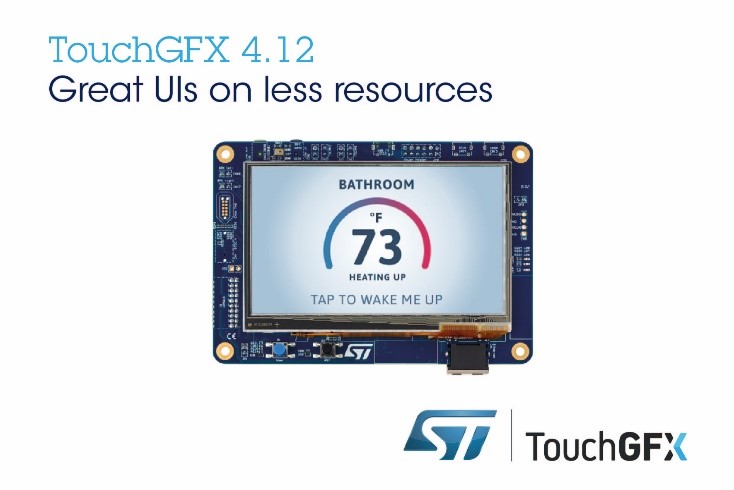
(Image=STMicroelectronics)
TouchGFX is a tool provided free within the STM32 ecosystem, consisting of the TouchGFX Designer PC tool and TouchGFX Engine software that runs on the final device.
With the 4.12 version update, users can implement UI in single-chip display solutions without external RAM or flash. Additionally, by reducing power consumption to extend battery life and enabling easier development, users can accelerate time-to-market.
The partial framebuffer mode of the TouchGFX Engine now supports buffer operation with just 6KB RAM. As fully-featured UI can be implemented in 16KB RAM, even smaller STM32 MCUs can deliver enhanced user experience without external memory.
The new 8-bit luminance (L8) format with 16-bit, 24-bit, and 32-bit palettes can reduce flash memory usage. Even in smaller memory environments, TouchGFX can enhance performance by utilizing the STM32 Chrom-ART Accelerator, which accelerates graphics and processes sophisticated effects.
Through the new Cacheable Container with dynamic bitmaps, smooth and fluid animations are executed at high frame rates while reducing CPU load.
Users can now select a 6-bit color depth, enabling the use of 64 colors to create entry-level GUIs while reducing RAM and flash consumption.
Support for unmapped external flash has also been newly added, enabling implementation of basic UI within minimal system resources.
The TouchGFX Designer tool update includes an expanded set of custom widgets, with added features such as Scale and Rotate that enhance drag-and-drop programming.
Custom triggers and actions reduce coding dependency when developing complex functionality, and the Image tab allows users to quickly configure individual properties such as image format, dither algorithm, and layout rotation.
Along with performance improvements that accelerate automatic code generation and reduce loading times, user convenience features for text guidance such as 'Bring-Forward' and 'Send-to-Back' are also included.
The entire TouchGFX suite, including TouchGFX Designer and TouchGFX Engine, is available for free download from the company website.
Comments
Related news
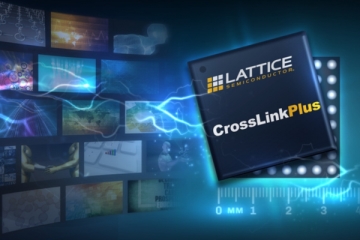
Lattice Begins Samples of FPGAs for Embedded Vision Systems
Lattice announced a CrossLink Plus FPGA product family for MIPI D-PHY-based embedded vision systems. CrossLink Plus features embedded flash memory hardware-based MIPI D-PHY and high-speed I/O for instant-on panel displays, and is a low-power FPGA that enables on-device programming. Ready-to-use IP and reference designs are also provided.
2019.10.15by 이수민 기자
ST Showcases Smart Factory Total Solution at 2019 KES
ST participates in KES 2019 to demonstrate Smart Industry Demo solutions. Based on diverse features including AI (Artificial Intelligence)-based image recognition, vibration sensing, cloud connectivity, and voice control, the company will showcase how people, robots, and factory facilities interact with one another.
2019.10.11by 명세환 기자
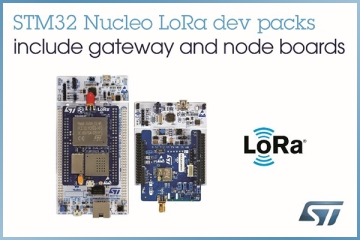
ST Announces Two LoRa Development Packs for IoT for $99 Each
STMicroelectronics has launched ready-to-use LoRa development kits P-NUCLEO-LRWAN2 and P-NUCLEO-LRWAN3 at $99 each. The two development kits support application development such as tracking, positioning, and metering using LoRa long-range, low-power wireless IoT connectivity for not only enterprises but also individual designers, hobby developers, and students. Both kits leverage ST's STM32 Nucleo evaluation boards and provide a complete LoRaWAN development chain including gateway and end-node boards, firmware, and tools.
2019.10.25by 이수민 기자
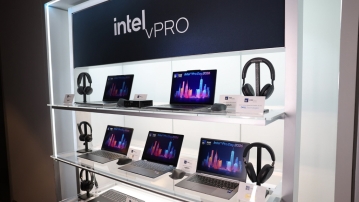
Intel Unveils Next-Generation 'Core Ultra Series 3' and vPro Platform for Enterprise PCs
Intel has officially unveiled the "Intel Core Ultra Series 3" for next-generation enterprise PCs and the latest vPro platform, addressing a wide range of demands from enterprise notebooks to high-performance workstations.
2026.03.26by 배종인 기자
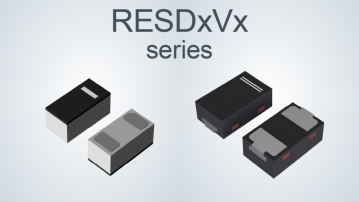
ROHM Launches ESD Protection Diode Compatible with High-Speed Interfaces of 10Gbps or Higher
Semiconductor specialist ROHM has developed the 'RESDxVx series' of ESD (electrostatic discharge) protection diodes capable of responding to next-generation high-speed data communication environments exceeding 10Gbps, simultaneously enhancing both signal quality maintenance required in high-speed interfaces and IC protection performance.
2026.03.26by 배종인 기자











