


Mouser Provides Tool to Simplify Parts Purchasing
 Published2023.02.27 14:12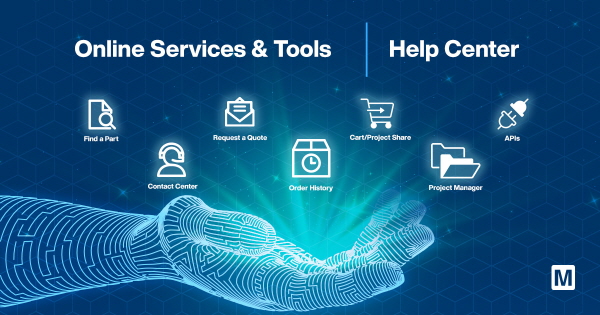
Mouser Electronics provides a diverse suite of tools to help users easily find and select the right electronic components, reducing the time spent on purchasing parts.
Mouser announced on the 27th that it provides an online toolset that allows buyers and engineers to simplify the parts selection and purchasing process.
Mouser's Help Center, services, and tools enable users to request data sheets, verify and track orders, and place new orders using APIs or EDI, and also provide technical support.
Mark Burr-Lonnon, Senior Vice President of Global Services and the Middle East and Asia-Pacific at Mouser, stated, “Mouser is committed to going beyond simply offering the world’s widest variety of New Product Initiatives (NPIs) to providing a comprehensive collection of online tools and resources for customer service. By utilizing Mouser’s Help Center and Services & Tools pages, buyers and engineers can more effectively explore and select the right products to accelerate time-to-market.”
Today's electronic design inevitably requires an extensive parts list and numerous purchase orders. Mouser offers a variety of services and tools to save buyers time and streamline purchasing, including order automation resources, unit price and inventory verification tools, and FORTE, Mouser’s smart BOM® tool. These online resources save valuable time by simplifying quoting and purchasing.
Mouser provides design engineers with a wealth of online technical resources to assist with every stage of the design process, including ECAD design libraries, conversion calculators, extensive product data sheet and technical content libraries, and product detail pages containing videos, block diagrams, and other technical information.
In addition, Mouser's online help center provides a search function for customer support resources and frequently asked questions (FAQ).
Mouser customers can make ordering and tracking easier by creating a My Mouser account through the Help Center.
Mouser's Help Center also provides quick links for requesting quotes or searching for specific parts, so you can save time when processing large volumes of orders.
You can access the Help Center at https://kr.mouser.com/help/ or by clicking 'Help' on the top navigation bar of the mouser.com page.
You can access the Services and Tools page at https://kr.mouser.com/servicesandtools/ or by clicking 'Services and Tools' on the top navigation bar of the mouser.com page.

Comments
Related news
Mouser offers a wide range of Infineon products
Authorized distributor Mouser Electronics provides a comprehensive product portfolio from Infineon.
2023.02.21by 배종인 기자
Mouser improves order accuracy and saves time.
Mouser Electronics, the leading new product introduction (NPI) distributor™ that supplies the widest variety of semiconductors and electronic components, helps engineers and buyers choose and purchase with confidence.
2023.02.21by 배종인 기자
Mouser, Linx IPW Series Outdoor Antenna Supply
Mouser supplies Linx Technologies' IPW series rugged outdoor IP67-rated dipole antenna products.
2023.02.24by 배종인 기자
Mouser Expands Domestic Supply of ST Semiconductor Solutions
Global electronic components distributor Mouser Electronics is stably supplying a wide range of products from world-leading semiconductor manufacturer STMicroelectronics to the domestic market and strengthening the electronic design environment.
2026.03.24by 배종인 기자

Mouser Expands Online Resource Center to Support Real-World Deployment of Autonomous Vehicles
Global electronics distribution company Mouser has strengthened its autonomous vehicle (AV) resource hub, focusing on design challenges and system architecture necessary for implementing production-ready autonomous driving systems.
2026.03.17by 배종인 기자











