



Unity Launches 'Unity AI' Open Beta for Unity 6 and Above
 Published2026.05.06 13:49
 Unity has launched an open beta for 'Unity AI,' which integrates artificial intelligence capabilities into the game development environment, for developers of Unity 6 or higher. Unity AI operates within the editor based on the project context and focuses on reducing iteration and supporting parts of the development process, such as asset creation and scene composition.
Unity recently announced the launch of the Unity AI open beta, stating that all developers using Unity 6 or later can utilize the feature. This release is characterized by allowing developers to use AI features within the existing editor without having to move to a separate environment.
Unity AI operates based on actual development contexts, such as project structure, systems, and iterative tasks that constitute the player experience. Through this, developers can reduce the time spent on simple, repetitive tasks and spend more time designing and refining the game's core features and content.
The AI agents included in the editor are tailored to Unity's workflow to provide responses and perform tasks that reflect the project's situation. Unity explained that this reduces the burden on developers of repeating the same tasks multiple times or switching between separate tools.
It also includes a feature to link visual materials to development deliverables. Unity AI supports the process of converting design images or visual references into assets and playable scenes that can be utilized in a project. This can be used to quickly verify ideas from the planning stage in an actual development environment.
Integration with external AI tools is also provided. Developers can connect and control their preferred AI tools to the editor via the AI Gateway, and utilize Unity AI features within the integrated development environment by using the MCP Server. Features such as reverting changes, tagging AI-generated assets, and setting agent permissions are also supported.
Unity explained that Unity AI is a feature designed to help developers try out and review ideas more quickly while maintaining their creative direction, rather than replacing their judgment. Information on participating in the open beta and key features can be found on Unity's official product page and discussion page.

Comments
Related news
55% of construction and manufacturing companies plan to adopt real-time 3D technology within two years.
Unity has released a report on the adoption status of real-time 3D technology among construction and manufacturing companies worldwide. According to the report, the current adoption rate of real-time 3D technology stands at only 19%, but more than half of respondents at 55% indicated they plan to adopt the related technology within the next two years.
2020.04.10by 이수민 기자
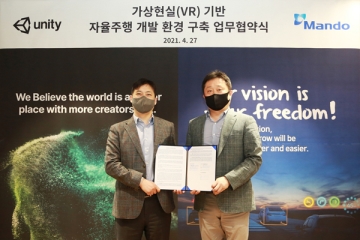
Mando to Develop Unity-Based ADAS Camera Simulator
Unity and Mando signed a business agreement on April 27 for the development of an ADAS front camera simulator project. This agreement marks the first collaboration case in Korea between an automotive parts company and a game engine developer. Mando will develop a virtual environment simulator for ADAS front camera learning by leveraging the Unity engine.
2021.05.06by 이수민 기자
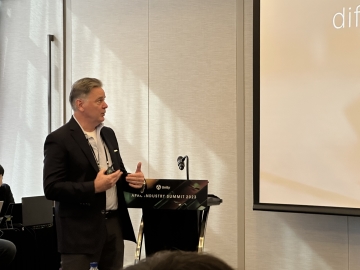
Unity "Implementing Real-Time 3D Digital Twins with Game Engine Know-How"
Unity held the first integrated Asia-Pacific region 'Unity APAC Industry Summit 2023' on the 5th in Samseong-dong, where it shared core technology use cases and the latest trends with industry experts, creators, and business stakeholders across various sectors. Featured speakers at the event's keynote included Lori Ames, Vice President of Unity's Solution Development division, along with LG U+, Hyundai Motor Company, and others.
2023.10.05by 김예지 기자
Unity, Global Developer Conference 'Unite Seoul 2025' Opens
Unity, a globally renowned real-time 3D content creation and growth platform, held its flagship global developer conference "Unite Seoul 2025" on the 15th at Seoul COEX with great fanfare.
2025.04.15by 배종인 기자
.jpg)
Unity Hosts 'Uday Seoul: Industry', Initiating Digital Twin-Based Industrial Innovation
Global interactive platform Unity held "U DAY Seoul: Industry" on the 26th at the Korea Science and Technology Center in Gangnam-gu, Seoul. The event, themed "Transform Your Business, Powered by Unity: Beginning Business Innovation with Unity," shared Unity-based digital twin technology and insights applicable across various industries.
2025.09.26by 명세환 기자











