


Let's use smart devices smartly by strengthening security.
 Published2015.12.15 19:04
Intel's Smart Usage Guide with Enhanced Security
Bustling shopping crowds, enticing advertisements—the holiday season is upon us once again. As always, people will be browsing the latest trends and contemplating gifts for family, friends, and loved ones. Among these, the latest toys and electronic devices that connect to the internet and other devices are particularly popular as seasonal gifts. These new features significantly contribute to a truly "smart" lifestyle. However, they also expose you to security threats in the online environment. The most popular holiday gifts can also be the most "hackable." To ensure that these precious gifts remain meaningful, let's explore security measures to ensure the safe use of these devices.
Safely using holiday gifts starts with a shift in awareness!
From wearable fitness trackers to smartwatches, action cameras, and drones, this year's wave of high-priced electronic gadgets is sure to grab everyone's attention. The problem is that these gadgets attract not only the attention of gift givers but also cybercriminals. Fortunately, a few simple steps can help secure these popular gifts. A good start is to consider potential security threats before use and be mindful of how to effectively protect your new gadget while in use. Let's take a look at some of this year's most hackable holiday gifts and how you can make them more secure and safe.
A list of easy-to-hack holiday gifts
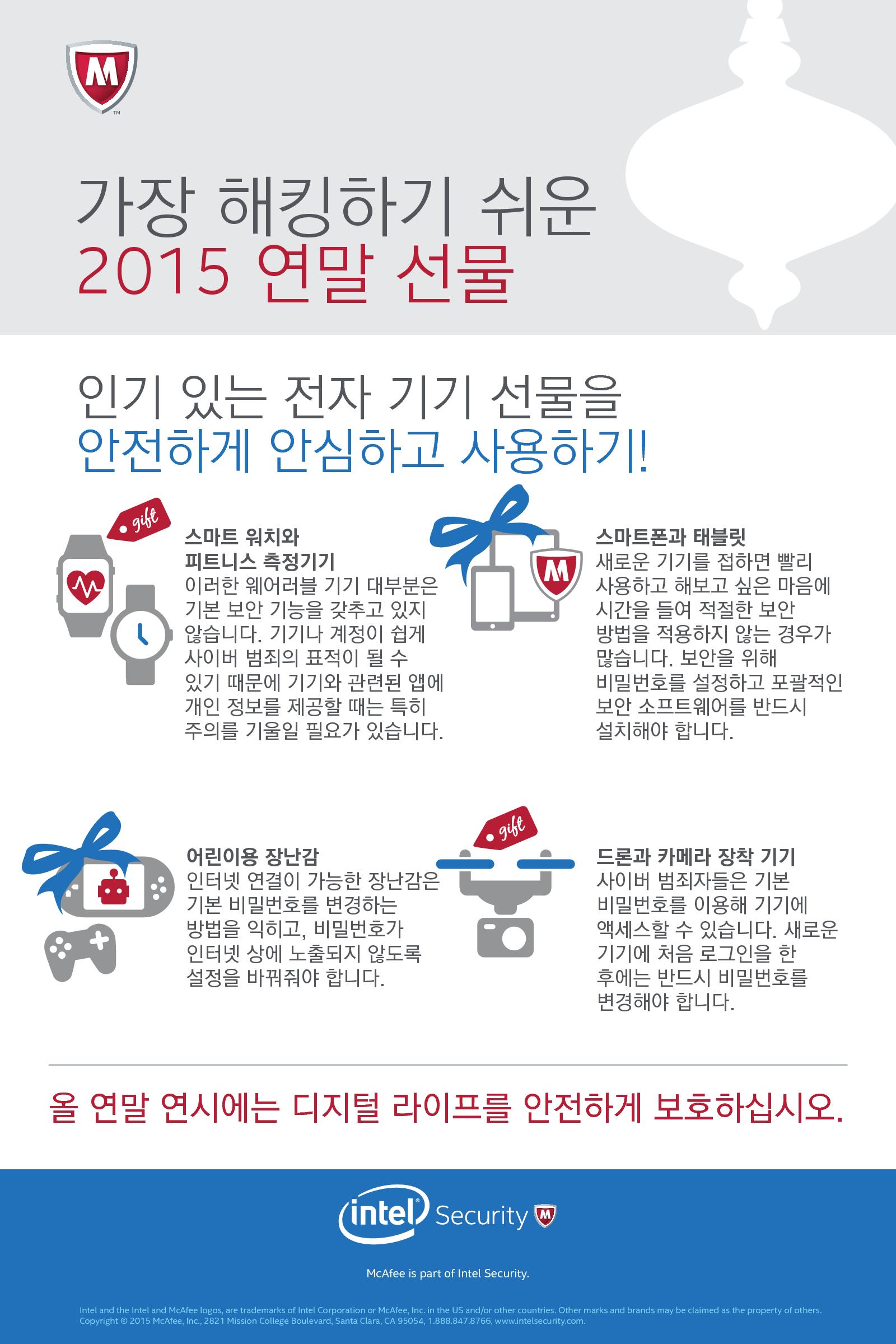
1) Wearable devices such as smartwatches and fitness trackers
This year has truly been the year of wearables. Smartwatches and fitness trackers, the most exciting segment of consumer IoT, have become some of the most coveted holiday gifts. However, there's a caveat: wearables often lack adequate security features, making them easy targets for cybercriminals. While wearables themselves don't contain much data for cybercriminals to exploit, they often connect to other devices, such as smartphones or computers. Cybercriminals can exploit these connections to steal contact information from connected devices or, in extreme cases, install malware on them. Furthermore, many consumers tend to underestimate the amount of data their wearables collect. Therefore, consumers should be especially cautious about how much personal information they provide to apps associated with their devices, as this could lead to a compromise of their devices or accounts, potentially exposing their data.
Intel Security is also aware that cybercriminals can exploit Bluetooth vulnerabilities to steal data. Furthermore, some devices use simple passwords, such as 0000 or 1234, as default Bluetooth pairing passwords, making it easy for cybercriminals to pair devices and steal information. Cybercriminals can then use stolen usernames, email addresses, and other information to launch new attacks, such as spear phishing. Spear phishing attacks are attempts to steal sensitive data, including personal information, by sending emails impersonating companies or acquaintances we know.
2) Smartphones and tablets
When people receive a smart device as a gift, they often rush to use it and try it out, often failing to take the time to properly secure it beforehand. This applies to mobile devices like smartphones and tablets. For example, some people use simple passwords like 0000 or 1234 as the default Bluetooth pairing password for some devices. Cybercriminals can easily discover these passwords, pair them, and gain unauthorized access to the device. As with the aforementioned smartwatches and fitness trackers, cybercriminals can exploit this connectivity to steal users' contact information or spread malware on the device.
3) Drones and camera-equipped devices
Drones and remote-controlled cameras are also high on the list of popular holiday gifts this year. According to data from the Consumer Electronics Association (CEA), the U.S. consumer drone market is expected to reach $105 million in 2015 alone. However, remote-controlled cameras and drones can also be easy targets for hackers. Without proper security measures in place, these devices could lead to the sharing of personal information with individuals you wouldn't otherwise want to share it with.
Default passwords can leave your device vulnerable to cybercriminals. Most users forget or don't know how to change their password after logging in to a new device for the first time. However, you should always consult your device's manual or online guide to change the default password immediately.
4) Electronic devices for children
Toys and electronic devices gifted to children during the holiday season are now almost always equipped with internet functionality. This means parents need to be aware of how these toys, whether remote-controlled cars or dolls, can connect to the internet and interact with it. Therefore, parents should take steps to protect their home's online environment, such as learning how to change the default passwords on internet-connected toys and adjusting settings to prevent passwords from being exposed online.
The most basic and important security measures
So how can we make the devices we receive as gifts more secure? Let's take a closer look at some of the following methods. They're not difficult or time-consuming at all.
1) Change the default password: This is probably one of the best ways to protect your device this holiday season. Changing your device's password to a complex password of at least eight characters, combining numbers, symbols, uppercase and lowercase letters, and more, can dramatically improve security.
2) Continuous software updates: Smart devices require regular software updates. These updates typically include security improvements to protect users from cybercrime. Be sure to update your device as soon as updates become available.
3) Protecting Core Devices: If a drone or fitness tracker is hacked, it's important to prevent the intrusion of any connected devices, such as smartphones, tablets, or laptops. Security solutions like McAfee LiveSafe™ protect your digital life from malware and attacks, regardless of the device.
4) Turn off Bluetooth when not in use: Many devices use easy-to-guess default passwords when pairing a Bluetooth device with a smartphone. To protect against hacking threats, change the default password and turn off Bluetooth when not in use.
5) Use secure Wi-Fi: Always be cautious when using wireless hotspots in public places. Always use a secure network when accessing the internet from outside.
Comments
Related news

The core of Intel's second platform for the IoT market is 'low-power silicon and a free OS'
Intel has launched a new Intel IoT Platform reference architecture and a suite of hardware and software products as part of its efforts to provide the most comprehensive product lineup for the Internet of Things (IoT) sector.
2015.11.04by 신윤오 기자
Intel Expands Product Line Built on Network Intelligence
With the emergence of IoT and the proliferation of big data-centric services, the networking sector faces increasingly significant challenges. To comprehensively handle current and future devices, data, and services, an agile cloud-based approach is necessary. To facilitate this network transformation through the application of server, cloud, storage, and virtualization technologies and to build at faster speeds, Intel has launched three new product families that enhance network intelligence and bandwidth.
2015.11.12by

Intel Focuses on Building Ecosystem to Form 5G Network Foundation
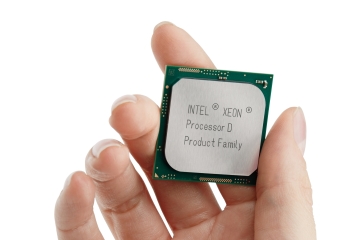
Intel announced the disclosure of its new Xeon Processor D product family and collaboration details with major enterprises, aligning with its commitment to lead the rapid transition toward cloud-ready communications networks.
2015.12.03by 신윤오 기자

MotorSense, ePapyrus Business Division Launches as Independent Corporation
MotorSense, a new business division of document AI company ePapyrus, has transitioned into an independent corporation. The company provides predictive maintenance solutions that collect vibration data from rotating equipment using small wireless sensors and detect real-time anomalies through AI algorithms. Currently operating 7,000 sensors across more than 250 field sites, the company plans to strengthen its strategy to capture the domestic predictive maintenance market through this independence.
2026.11.02by 배종인 기자

Rockwell: "90% of Food and Beverage Manufacturers Have Adopted AI, But Less Than Half Are Actually Using It"
Rockwell Automation has announced the results of its analysis on AI adoption trends in the food and beverage manufacturing industry. While approximately 90% of companies have adopted AI, only 45% of collected data is being utilized, and the integration of IT and OT along with the establishment of enterprise-wide digital strategies have proven essential for successful AI outcomes. Companies achieving high performance are meeting concrete objectives such as quality improvement, productivity enhancement, and cost reduction by linking AI initiatives to overall enterprise strategies rather than focusing on individual projects.
2026.11.02by 배종인 기자











