



Anritsu's One-Button Test Integration Boosts Repeatability and Productivity
 Published2016.05.17 11:35
Anritsu announced the release of one-button testing for the next-generation Network Master Pro MT1000A and Network Master Flex MT1100A platforms.
This new feature begins with the user creating a detailed test configuration file on their PC using the Scenario Editing Environment Kit (SEEK) MX100003A, which allows multiple consecutive tests to be completed with user-defined pass/fail thresholds and includes the ability to add conceptual or graphical prompts.
This file is then loaded into the Network Master Pro or Flex test set. Once ready to test, users simply connect to the network and press a single button to initiate a series of tests. This saves time and ensures accurate and consistent results.
In today's constantly expanding network environment, operators must maintain network quality using reliable procedures. To ensure networks perform as expected, operators implement self-managed systems.
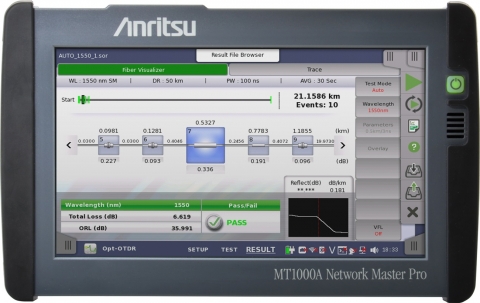
This one-button test system simplifies operator workload and minimizes complexity for field technicians and in-house subcontractors. With simplicity as a core design goal, departments responsible for operations management, network quality management, and network expansion can create 'one-button' test scripts for field technicians that include multiple tests, such as BERT, RFC2544, and Y.1564, each with individual conditions that determine whether to proceed to the next test section.
Flexible setup allows technicians to enter network details, change configurations, and pass/fail criteria while operators continue to manage the network, ensuring network quality and flexibility.
Furthermore, the one-button test system allows you to create basic test packages that require minimal adjustment by field technicians, enabling all technicians to complete tasks quickly and minimizing human error. Technicians simply select the one-button test to perform on the Network Master Pro or Flex, follow the on-screen instructions provided by management, and monitor the test results. Upon completion, the technician receives a single file containing all test results ready for submission, streamlining the workflow and reducing turnaround time.
One-button testing virtually streamlines the entire installation and network quality assurance process. From operators setting required standards to field technicians quickly completing tasks based on predefined requirements, one-button testing improves quality while reducing test time and costs.

Comments
Related news
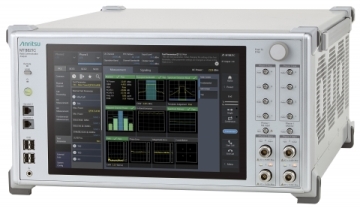
Anritsu Launches New Software Package to Enhance Wireless Communication Analyzers
Anritsu announced the release of a new software package to enhance the wireless test capabilities of the MT8821C, an all-in-one wireless communication analyzer, for LTE-Advanced UE evaluation supporting DL (downlink) 4x4 MIMO and DL CA (downlink carrier aggregation) 5CC.
2016.03.25by 명세환 기자
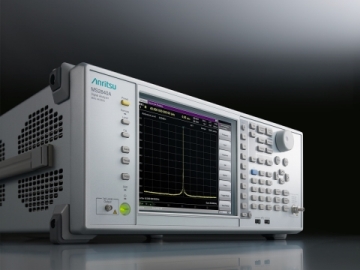
Anritsu Announces Spectrum Analyzer with Improved Phase Noise Performance
Anritsu Corporation announced the launch of a new signal analyzer MS2840A on March 30th to expand its signal and spectrum analyzer product lineup. The newly launched MS2840A features a frequency range of 9 kHz to 44.5 GHz and incorporates an integrated oscillator with significantly improved SSB phase noise performance. Additionally, it supports millimeter-wave band spectrum measurements using a high-performance waveguide mixer.
2016.03.30by 명세환 기자
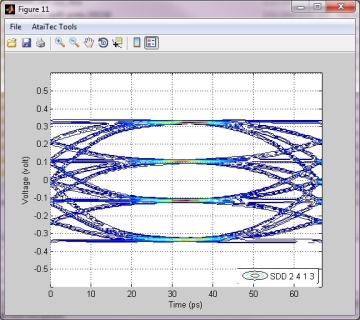
Anritsu Adds Tool to VNA with Enhanced Signal Integrity Testing Capabilities
Anritsu announced that it continues to develop products that meet the test requirements desired by signal integrity (SI) engineers by adding options for VectorStar and ShockLine vector network analyzers (VNA). The VectorStar Eye Diagram and ShockLine ATD (Advanced Time Domain) options represent an expansion of SI functionality in Anritsu products, providing SI engineers with enhanced tools to perform channel diagnostics and model validation verification for high-speed digital circuit design.
2016.05.10by 명세환 기자

KT Halts New 3G Sign-ups…Operates LTE·5G Migration Support Program
KT is discontinuing new 3G service sign-ups starting on the 2nd and will support existing users in transitioning to LTE·5G. The company will offer three selectable compensation options—free device replacement, device change points, or service rate discounts—to 3G device users through November 2026, along with waiver of early termination fees. The company plans to provide separate guidance to digitally vulnerable customer segments to minimize inconvenience during the transition process.
2026.11.02by 명세환 기자

SKT Accelerating 'AX Innovation 2.0'…Accelerating Organizational-Level AI Transformation
SK Telecom is launching its 'AX Innovation 2.0' in earnest, reorganizing entire organizational work processes around AI beyond individual-level AI utilization. By operating three axes—AX Enabler TF, Sandbox, and Catalyst—and adopting Z.E.Z technology, it secures data security while enhancing productivity. Based on the current situation where 4,000 employees have developed AI agents and 1,500 agents are regularly used in-house, the company is accelerating expansion.
2026.11.02by 명세환 기자











