



TI's upgraded Code Composer Studio™ IDE
 Published2011.11.16 09:46
TI의 업그레이드된 Code Composer Studio™ IDE, 빠르고 저렴한 임베디드
프로세싱 제품 개발 가능케, 개발시간 단축 및 비용 절감
• 새로워진 Code Composer Studio IDE(통합 개발 환경) 버전 5 – 윈도우 및 리눅스®에서 실행되며, 79달러부터 시작되는 저렴한 가격에 제공됨
• 향상된 사용자 인터페이스로 더 빠르고, 편리하고, 직관적으로 임베디드 소프트웨어 개발 가능
• 설치 패키지, 1/5로 소형화되어 더욱 빠른 다운로드 지원 및 개발 시간 단축
TI 코리아 (www.ti.com/ww/kr) 2011년 11월 15일 – 임베디드 소프트웨어 개발을 더욱 간편하게 하고 있는 TI는 이클립스(Eclipse) 오픈 소스 소프트웨어 프레임워크 기반의 업계 선도적인 Code Composer Studio™ 통합 개발 환경(Integrated Development Environment)을 대폭 향상시켰다. Code Composer Studio IDE v5는 제품 개발을 더욱 쉽게 만들어주며, 1/5로 소형화된 설치 패키지로 셋업 속도가 개선된 사용자 인터페이스가 특징이다. 이를 통해 윈도우 및 리눅스® 운영 환경에서 실행이 가능하게 되었으며, 79달러의 낮은 가격부터 제공하여 경쟁 제품보다 합리적인 가격에 구입이 가능하다.
Code Composer Studio IDE는 단일 사용자 인터페이스로 개발자들이 애플리케이션 개발 과정의 각각의 단계를 진행할 수 있도록 지원한다. 이 IDE는 또한 공통의 개발 환경을 통해 소프트웨어 코드 개발, 분석, 디버깅을 가속화함으로써 임베디드 프로세싱 애플리케이션의 소프트웨어 설계를 간소화할 수 있는 툴 수트를 포함하고 있다. Code Composer Studio IDE v5는 TI의 단일 및 멀티코어 DSP, 마이크로컨트롤러, 비디오 프로세서, 마이크로프로세서를 비롯해서 TI의 포괄적인 임베디드 프로세싱 포트폴리오의 다양한 디바이스와 호환이 가능하다.
향상된 Code Composer Studio IDE v5로 출시 시간 단축
• 사용자 인터페이스 간소화 – 개발자에게 호출이 필요한 시기를 알려주어 개발을 쉽게 하고 개발 시간을 단축할 수 있다.
• 더욱 간결해진 다운로드 및 설치 – 설계에 필요한 것만 다운로드 및 설치하므로 불필요한 요소를 설치하는데 드는 시간을 단축하여 개발자가 새로운 디바이스에 대한 지원을 빠르게 추가할 수 있다.
• 이클립스 오픈 소스 프레임워크 – 개발자가 서드파티 플러그인으로 환경을 맞춤화할 수 있으므로 임베디드 설계에 대한 문제해결, 분석, 프로파일링에 소요되는 시간을 단축할 수 있다.
• 리소스 익스플로러(Explorer) – TI의 controlSUITE™, 스텔라리스웨어®, MSP430™ 마이크로컨트롤러를 위한 그레이스(Grace) 1.1, 기타 소프트웨어 플랫폼으로부터 예제 코드를 편리하게 이용할 수 있는 통합 브라우저이다.
• 비디오 튜토리얼 – 다양한 기능을 유용하게 활용하는 방법에 대해 설명한다.
• 간편한 마이그레이션 – 이전 버전의 Code Composer Studio IDE에서 간편하게 마이그레이션 할 수 있으므로 소프트웨어 재사용이 가능하다.
Code Composer Studio IDE의 추가 기능 및 장점
• 뛰어난 코드 개발 환경 – 코드 완성, 코드 폴딩, 소스 변경 이력, 마커 및 작업과 소스라인을 연계시킬 수 있는 기능과 같은 향상된 편집기 및 기능을 통해 설계 및 문제 해결시간을 단축한다. 또한 개발자가 이미지와 비디오를 원래의 포맷으로 직접 확인할 수 있다.
• 향상된 GUI 프레임워크 – “시각 (perspective)” 작성을 통해 데이터 및 프로젝트 관리를 간소화하며, 메뉴, 툴바, ‘fast view’를 완벽하게 맞춤화할 수 있으므로 개발자가 다중의 프로세서에 걸쳐서 프로그램을 편집하고 디버깅하는 것과 같은 특정 작업에 해당하는 기능 및 뷰를 정의할 수 있다.
• 멀티 프로세서 디버깅 – 각각의 코어가 “개별” 디버거를 필요로 할 때 발생하는 혼란을 야기하지 않으면서 다중코어의 상태와 정보를 지능적으로 관리한다. 1,200개 이상의 서드파티 플러그인은 정적 코드 분석, 소스코드 제어, 모델링 및 스크립팅 개발과 같은 제품 개발 작업을 지원한다.
• 유연한 프로젝트 환경 – 개발자가 각각의 개별 프로젝트에 이용된 컴파일러 및 SYS/BIOS™ 소프트웨어 커널을 기반으로 한 버전을 제어할 수 있으므로 프로젝트가 유지 관리 모드로 구현될 때 이용한 툴을 계속해서 이용할 수 있을 뿐만 아니라 새로운 프로젝트에 향상된 최신 기술을 최대한 활용할 수 있다.
• 서버 스크립팅 인터페이스 디버깅 – 코드 검증이나 프로파일링과 같은 공통 작업의 자동화를 가능케 한다.
• 업데이트 관리자 툴 – 툴 업데이트를 자동으로 관리한다.
공급 시기
XDS100 JTAG 에뮬레이터 (79달러) 구매 시, 무료로 Code Composer Studio IDE v5 라이센스를 함께 제공한다. TI의 모든 임베디드 프로세서에 대한 플래티넘 라이센스는 495달러에 제공되고 있다. JTAG 디버거가 필요없는 리눅스 및 안드로이드 애플리케이션 개발자는 Code Composer Studio IDE v5를 무료로 이용할 수 있으며, 지금 다운로드 할 수 있다.

Comments
Related news
Intel Unveils Next-Generation 'Core Ultra Series 3' and vPro Platform for Enterprise PCs
Intel has officially unveiled the "Intel Core Ultra Series 3" for next-generation enterprise PCs and the latest vPro platform, addressing a wide range of demands from enterprise notebooks to high-performance workstations.
2026.03.26by 배종인 기자
ROHM Launches ESD Protection Diode Compatible with High-Speed Interfaces of 10Gbps or Higher
Semiconductor specialist ROHM has developed the 'RESDxVx series' of ESD (electrostatic discharge) protection diodes capable of responding to next-generation high-speed data communication environments exceeding 10Gbps, simultaneously enhancing both signal quality maintenance required in high-speed interfaces and IC protection performance.
2026.03.26by 배종인 기자
ST Launches 75V Drive IC Targeting 48V Industrial Motor Driving
ST Microelectronics has unveiled the 'STSPIN9P' series of 75V motor drive ICs tailored for 48V-class industrial drive system design. The new product family is characterized by half-bridge and full-bridge configurations that enable design scalability according to motor type and output conditions. Power supply circuits, protection functions, and current sensing circuits are integrated on-chip to simplify system configuration, and the devices are designed to support applications up to 500W maximum. The company plans to provide reference designs and demo boards to support development and evaluation in industrial automation, robotics, pumps, fans, lighting, and textile machinery.
2026.03.26by 배종인 기자

Nordic supports security updates for the entire lifecycle of IoT devices at a single fixed cost
Nordic Semiconductor, a global leader in low-power wireless connectivity solutions, has unveiled a single fixed-cost licensing model that delivers FOTA (Firmware Over-the-Air) and device management capabilities throughout the device lifecycle via nRF Cloud, and introduced a new firmware update solution to prepare for the enforcement of the European Union's Cyber Resilience Act (CRA).
2026.03.26by 배종인 기자
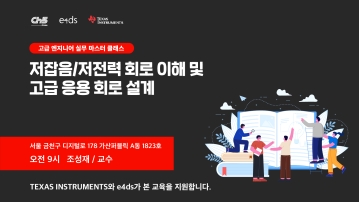
Practical Training in Low-Noise, Low-Power Circuit Design All in One Place… Training Fee Support
The "2026 Advanced Engineer Practical Masterclass" to strengthen competencies in high-sensitivity analog circuit and sensor-based system design will be held on April 16 at the e4ds Conference Center in Gasan-dong, Seoul. This program will be conducted as an offline paid hands-on training session, not online, and is targeted at engineers seeking on-site intensive learning. Texas Instruments will provide educational support for this training, allowing participation at 150,000 won, a 100,000 won discount from the original price of 250,000 won.
2026.03.26by 배종인 기자











