


Autodesk Unveils Updated Product Design and Manufacturing Collection
 Published2018.05.15 16:36
Autodesk has released an updated version of its Product Design & Manufacturing Collection in Korea, enabling companies to address the entire workflow, from product design to simulation, manufacturing, and production planning, all within a single package. The most significant feature of this single package is the addition of the latest version of Inventor 2019 and the manufacturing-specific Nesting Utility 2019.
Inventor 2019
Autodesk's ongoing efforts to improve performance, automation, and core modeling workflows are condensed into Inventor 2019. The new release also enables collaboration through connectivity to the Autodesk Cloud, connecting design and supply chain users to their workflows.
Jeong Jong-ho, Managing Director of Autodesk Korea's Manufacturing Business Division, said, "Autodesk collects and incorporates feedback from thousands of customers around the world when updating Inventor. Based on this feedback, we improved over 100 features and enhanced performance last year alone. Inventor 2019 will help customers get their products to market faster than ever before."
Nastran In-CAD 2019
Nastran allows engineers to examine the effects of transient load buckling, thermal stress, and fatigue on their designs. This Nastran InCAD 2019 release opens up possibilities for automation and multiphysics simulation, and provides the flexibility to perform advanced pre- and post-processing in different environments.
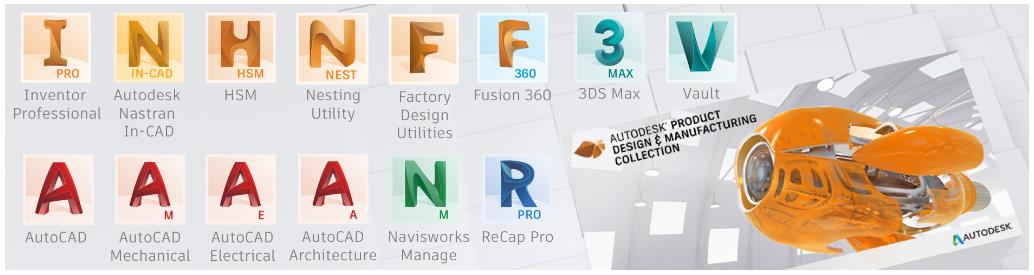
Furthermore, integration with iLogic extends rule-based design to simulation. This enables automation of material creation, idealization, meshing, boundary condition application, solving, and result display. Nastran InCAD 2019 also integrates with CFD and Moldflow to provide deeper insights across a variety of domains.
Nesting Utility 2019
Nesting Utility 2019 is a new addition to this Product Design and Manufacturing Collection. It allows users to create sheet metal design sheets within Inventor and then optimize nesting patterns to reduce manufacturing costs.
Nest creates parts and assemblies using a variety of material types and thicknesses, helping users optimize material usage when cutting flat raw materials. Nested sheets are linked to sheet metal part/assembly design sheets, making it easy to update nested sheets when design changes occur.
Nest can also be incorporated into the manufacturing process. Using Inventor HSM or other CAM software, you can automatically generate 3D models or export them as DXF™ files for use in toolpath generation. You can also review detailed nesting efficiency reports, including remaining raw materials, total costs, and machining times.
Factory Design Utilities 2019
The Factory Design Utility helps you design factory layouts and optimize machine and equipment placement to improve productivity and performance. With the release of Factory Design Utility 2019, users can more easily manage factory assets by working within iLogic. Features include providing asset parameters, quickly inserting asset groups into layouts, creating assets that can be linked directly from AutoCAD, and learning how to use the new Factory Design tutorial.
Meanwhile, details on the newly updated Product Design and Manufacturing Collection can be found on the Autodesk Korea website (www.autodesk.co.kr), and the collection and Inventor 2019 can be downloaded from your Autodesk account and the Autodesk desktop app.
Comments
Related news

Autodesk Unveils Next-Generation BIM 360 Platform to Integrate Construction Processes
Autodesk unveiled the next-generation cloud service BIM 360 platform at the 25th Autodesk University held in Las Vegas, United States, which more seamlessly connects the construction project lifecycle. In addition, Autodesk introduced the "Connect and Construct Exchange," a BIM 360 integration partner program that integrates third-party software applications and data into BIM 360 construction workflows, alongside more than 50 official BIM 360 integration partner companies. The next-generation BIM 360, built on the Autodesk Forge platform, centralizes all project-related data in one place and enables information-based decision-making throughout the entire construction project lifecycle. Autodesk Forge is a connected developer cloud platform that helps users and partners create scalable, customized solutions for engineering, construction, and manufacturing operations.
2017.11.20by 김지혜 기자
Autodesk Launches Integrated AutoCAD 2019
Autodesk announced the release of the latest versions of AutoCAD 2019 and AutoCAD LT 2019, which enable users to access all features of seven industry-specialized products as a single offering. In previous versions, users could individually purchase and use memberships to seven industry-specific AutoCAD products consisting of Architecture, Mechanical, Electrical, Map 3D, MEP, Raster Design, and Plant 3D.
2018.03.26by 김지혜 기자

Autodesk Signs Business Agreement with Domestic Universities for the Future of Engineering
Autodesk supports future generations in nurturing creativity and talent in the fields of design, manufacturing, and engineering. To this end, Autodesk announced that it has signed a memorandum of understanding (MOU) with Hanyang University's College of Engineering and Busan National University's V-Space to support products and education. First, Autodesk will donate its products free of charge to Hanyang University's College of Engineering. This enables students and faculty members at Hanyang University's College of Engineering to conduct smooth classes and research work utilizing Autodesk's products.
2018.04.02by 김지혜 기자
.jpg)
SalePoint Signs Multi-Year Partnership Agreement with AWS… Promoting Identity Security that Integrates Even AI Agents
Sailpoint has entered into a multi-year strategic partnership agreement with AWS and is moving forward with establishing an integrated governance system that manages both human and non-human identities together. The plan is to consistently manage access permissions in an environment where AI agents are increasing as work execution entities, while applying the principle of least privilege and automated policy enforcement. The two companies plan to jointly expand capabilities to manage the identities of various entities, including AI agents, within a single layer in the AWS environment. This collaboration is interpreted as a move to design security and governance together in corporate environments where AI adoption is expanding.
2026.03.26by 배종인 기자
.png)
Databricks Unveils Open AI Security Monitoring 'Lakewatch'
Databricks entered the security market on March 24 by unveiling LakeWatch, an open-source agentic SIEM. The core functionality of this product is to integrate and analyze security, IT, and business data in a single environment to support AI-based threat detection and investigation. The company explained that it reduces the limitations of existing security operations centers, which have had to forgo some data due to high cost structures, and enables large-scale data analysis and automation based on open formats and ecosystems. LakeWatch is currently offered as a private preview, with Adobe and Dropbox mentioned as early customers. Databricks also announced an expanded partnership with Anthropic as well as the acquisition of Antimatter and SiftD.ai.
2026.03.26by 배종인 기자











