



Samsung Electronics launches Bixby Voice service for Galaxy S8 and S8+
 Published2017.05.02 14:37
Samsung Electronics will launch the "Bixby Voice" service for the Galaxy S8 and Galaxy S8+ starting from the 1st.
Applications and features supporting "Bixby Voice" include approximately 10 services: Gallery, Calculator, Weather, Reminder, Bixby Vision, Message Settings, Clock, Contacts, Phone, and Camera.
Additionally, through "Bixby Labs," users can preview approximately 10 Samsung applications such as Samsung Pay, Samsung Health, and Samsung Internet, as well as approximately 10 applications including KakaoTalk, Facebook, and YouTube. These include various content services such as news, music, shopping, location information, and weather. Users can perform approximately 3,000 tasks through "Bixby Voice," and the system has been trained to recognize millions of different ways users speak to express these tasks.
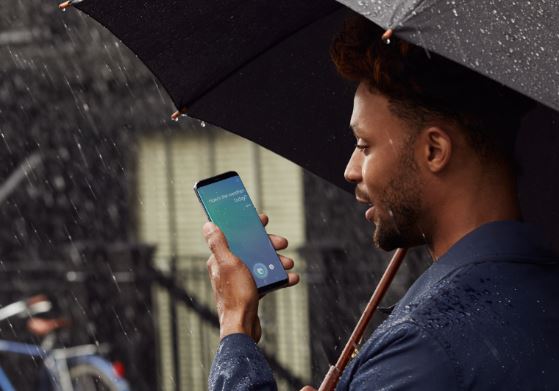
"Bixby Voice" can be used in three ways. After calling "Bixby," users can command the desired action, or utilize the dedicated Bixby button located on the left side of the Galaxy S8 and Galaxy S8+. Users can press the dedicated Bixby button briefly and issue a voice command, or press and hold the button while issuing a voice command and release it to immediately execute the desired task.
With the "Bixby Voice" service, users can freely switch between voice, touch, and text input methods depending on the situation when using their smartphone. For applications supporting "Bixby Voice," most tasks that are possible through touch can be performed via voice. Even with imprecise commands from users, "Bixby Voice" performs within its understanding range or makes efforts to grasp the user's intent through questions, providing an advanced intelligent interface.
For example, when a call comes in, saying "Bixby, answer this call on speakerphone" immediately connects the call through speakerphone. When searching for a restaurant on the internet by touch and saying "Bixby, bookmark this webpage and save it as a restaurant," it saves the bookmark under the name "restaurant." Then saying "show bookmarks" or "search for restaurant in bookmarks" allows immediate access. When a user views photos in the Gallery and commands "Bixby, share this photo on Facebook," the Bixby application launches Facebook and uploads the photo the user was viewing.
Galaxy S8 and Galaxy S8+ users can use the Korean language service through an application update. Users can check for updates by pressing the Bixby button. Samsung Electronics plans to continuously expand supported languages and applications for Bixby Voice, starting with English in the first half of the year, followed by Chinese, Spanish, and others.
Comments
Related news
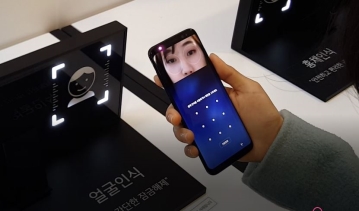
[Just Try It] The Galaxy S8 with AI, I Tried Talking to It
The S8 manufacturer said, "We fired it like ceramic pottery." This was mentioned in the context of conducting over 100,000 tests to avoid repeating mistakes from the previous Note 7. Samsung Electronics held a media day on the 13th at its Seocho headquarters and formally introduced the Galaxy S8. On that day, Samsung announced Korean advance sales of 728,000 units. More than 700,000 people who had already marked their interest got to see the 'Galaxy S8' in person. Infinity Display "Wow, it was fired like ceramic pottery." The fine appearance draws admiration—smooth curves flow naturally. The display is 18% larger than the previous model, but the bezel-less design fits comfortably in the hand. The Galaxy S8 is 5.8 inches, and the S8 Plus is 6.2 inches. The Midnight Black S8 with the screen off reminds one of LG's Chocolate phone, which sold 20 million units about ten years ago. With an 18.5 to 9 aspect ratio, the screen fills 80% of the display. We played a video. The screen extending even to the curves held the eye. "Should we try touching it?" We pressed this and that. There is no home button. The menu, home, and back functions have moved into the display screen. When we thought our hand couldn't reach, we quickly pressed the home button three times and one-handed mode activated.
2017.04.17by 김자영 기자
Buzz over Galaxy S8 launch, is the G6 launching content?
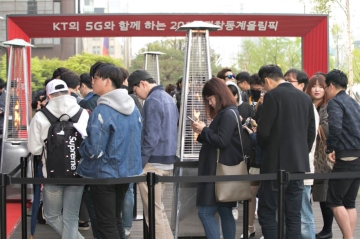
On the morning of the 18th, KT Square in Gwanghwamun was bustling with the Galaxy S8 and Galaxy S8+ pre-activation event. Taeyeon from Girls' Generation attended the pre-activation event to celebrate the first subscriber. The first and second subscribers were a male-female college student couple from Seongnam, Gyeonggi Province, who obtained the S8 after waiting 39 hours. KT will provide the first subscriber with a premium plan 'LTE Data Selection 87.8' that offers unlimited data roaming for up to 24 days annually for one year, and will waive the Galaxy Change Up one-year usage fee. Additionally, as the official communication partner of the 2018 PyeongChang Winter Olympics, KT selected the first subscriber as a backup torchbearer for the torch relay. SK Telecom displayed the connected car 'T5' in stores and invited figure skating queen Kim Yuna. SK's first activation customer obtained the S8 after waiting 5 days and 6 nights. This is the longest waiting record to date. The first activation customer received a commemorative photo with Kim Yuna and a total of 5 million won worth of Samsung SUHD TV and Lineage2 Revolution item purchase vouchers. On the same day (18th), LG announced that it will increase LG G6-specialized content by more than 50% to approximately 300 items at 'LG Smart World'. The plan is to continuously provide services exclusively for the G6, including approximately 1,200 high-fidelity music tracks created through collaboration with musicians, and mobile games, videos, and wallpapers exclusive to the G6's 18:9 aspect ratio. According to reports from other media outlets, some LG Electronics Mobile Division employees were confirmed to have reported to work on the 14th, which is the company's founding anniversary, and there are discussions suggesting this may be related to the poor performance of the G6, a key first-half strategy smartphone. The Galaxy S8 and S8+ are set for official launch on the upcoming 21st (Friday).
2017.04.18by 김자영 기자
Check out KT's battery saving technology for yourself!
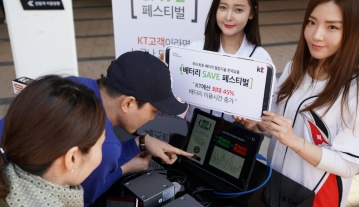
KT announced that it will hold the "Battery SAVE Festival" from the 28th of this month through May 25th in approximately 30 regions nationwide, commemorating the nationwide network and full device application of Korea's first battery-saving technology, allowing customers to experience the 'battery-saving technology.' KT unveiled the 'battery-saving technology' on the 12th, which can extend smartphone battery usage time by up to 45%. Rather than physically increasing the battery capacity of smartphones, this technology maximizes battery usage time through optimization of the data transmission and reception cycle between terminals and base stations. KT extended battery usage time on the Galaxy S8 by up to 45% based on continuous YouTube playback and has worked for over two years to establish a network environment that does not compromise customers' data access quality and to apply the technology across hundreds of device types. To help customers easily understand and experience this battery-saving technology, KT designed the "Battery SAVE Festival." It successfully completed a pilot promotion at KT Wiz Park in Suwon on the 22nd. Starting with Seoul on the 28th through May 25th, KT will simultaneously conduct 'hotspot' experience events and surprise 'guerrilla' experience events at approximately 30 locations nationwide, including the five major metropolitan areas. Hong Jae-sang, Executive Director of KT IMC, stated, "Through the 'Battery SAVE Festival' taking place across the country, we plan to enable more customers to easily and enjoyably experience KT's battery-saving technology, which has been applied nationwide to LTE networks and all devices for the first time in Korea."
2017.04.25by 김자영 기자
Group-IB Supports INTERPOL's 'Operation Serengeti III'…1,462 Suspects Arrested
Group-IB supported INTERPOL's 'Operation Serengeti III' with threat intelligence, successfully assisting international collaborative investigations across 21 African nations. During the operation conducted from June to August 2026, 1,462 suspects involved in transnational cyber crimes including phishing, Business Email Compromise (BEC), and ransomware were arrested, over $105 million in illicit funds were recovered, and 10,909 malicious networks were disrupted.
2026.11.02by 배종인 기자
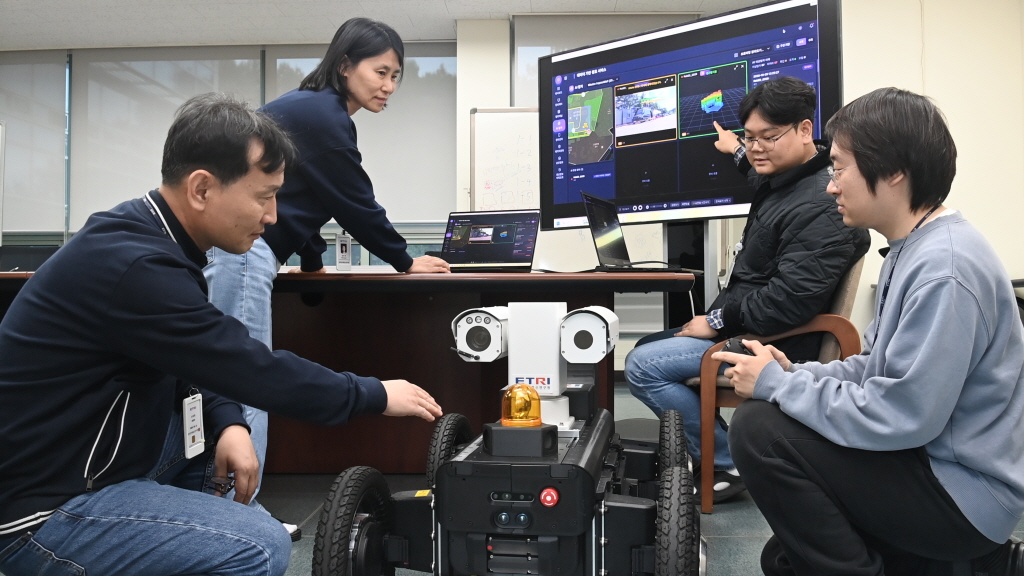
ETRI Unveils 9 Core AIoT Technologies…Leading Innovation in Digital Twin, Robotics, and Future Mobility
ETRI will participate in the '2026 AIoT International Exhibition' held at Seoul COEX for four days starting on the 3rd, showcasing 9 core technologies across 5 fields including digital twin, on-device AI, robotics, future air mobility (AAM), healthcare, and carbon/energy management. From intelligent digital federated twin, large-scale on-device AI integrated management, and Roji-Hub robot behavior learning technology to AAM positioning, AI unmanned surveillance, carbon footprint management platform, and smart livestock technology—these are technologies focused on solving problems in industrial sites and creating new value in everyday life.
2026.11.02by 배종인 기자











