


VMware Introduces a Digital Workspace Solution that Transcends Devices, OS, Cloud, and Software
 Published2019.01.29 17:52
디바이스, OS, 애플리케이션 가리지 않아
업무 유연성 최대 확보돼 효율성 높아져
언제 어디서나 기기와 애플리케이션에 상관없이 동일한 업무 환경을 유지할 수 있는 통합 솔루션이 출시됐다.
VMware가 29일, 서울 삼성동 VMware 코리아 사무실에서 미디어 브리핑을 열고 ‘모든 클라우드에서 모든 종류의 기기와 애플리케이션을 지원한다(Any Cloud, Any Application, Any Device)’라는 비전을 발표했다.
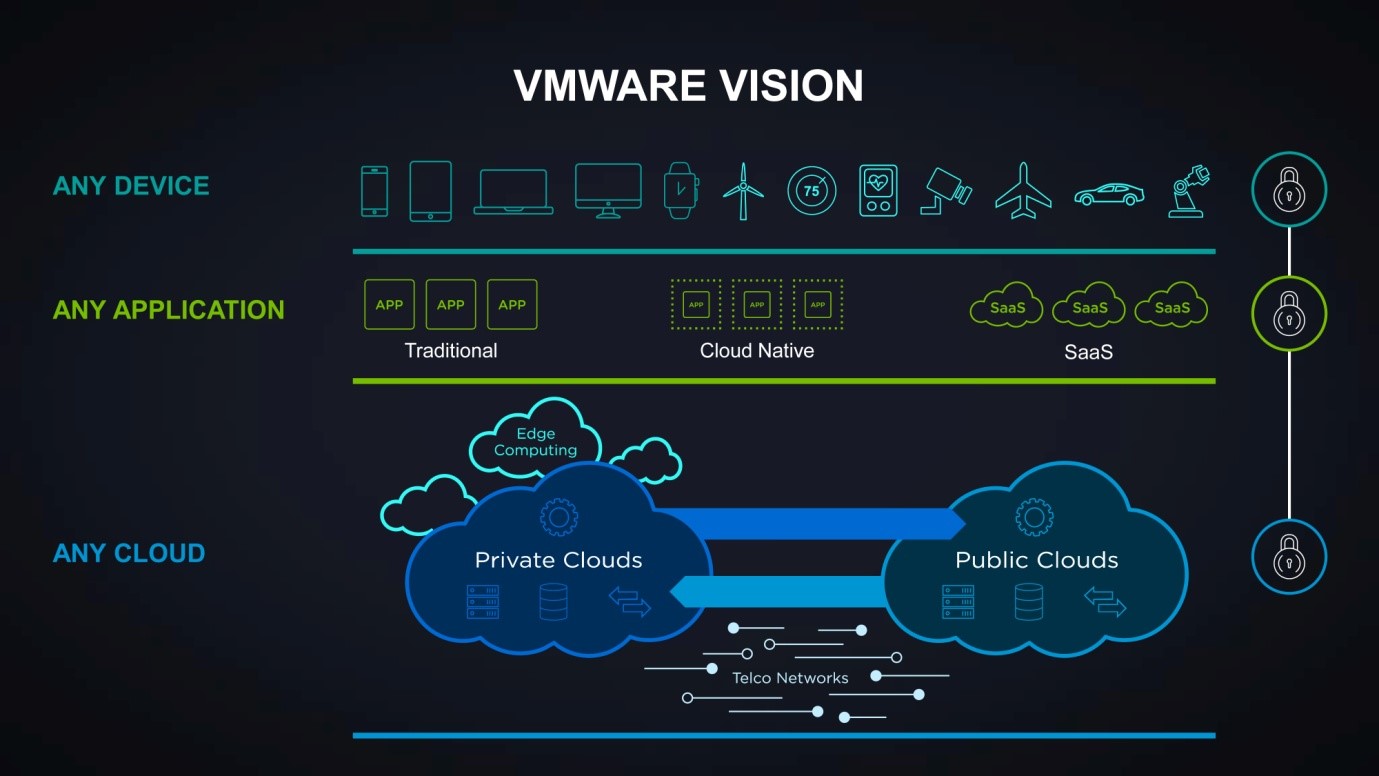
Any Cloud, Any Application, Any Device 구성도
급변하는 비즈니스 트렌드에 최적화된 디지털 혁신을 이루고 싶은 기업을 VMware가 지원한다. VMware는 기업에 소프트웨어 정의 데이터 센터, 하이브리드 클라우드, 엔드 유저 컴퓨팅, 네트워크 및 보안 총 4가지 측면에서 솔루션을 제공하고 있다.
디지털 워크스페이스의 강화
VMware가 제안하는 엔드유저 컴퓨팅 전략은 특정 디바이스에 구애받지 않고 다양한 업무용 애플리케이션들을 지원하는 환경, 즉 디지털 워크스페이스를 구현하는 것이다. 또한, 기업의 보안과 직원의 생산성을 동시에 만족시키는 솔루션 제공에 초점을 맞추고 있다.
디지털 워크스페이스는 언제 어디서나 모든 기기에서 모든 애플리케이션과 서비스, 리소스에 액세스할 수 있는 단일 환경이다. 프라이빗 클라우드, 퍼블릭 클라우드 또는 SaaS의 종류에 상관없이 모든 애플리케이션에 대한 액세스를 통합한다.
기업은 VMware가 구현하는 디지털 워크스페이스를 통해 임직원에게 보다 안전하고 유연한 업무 환경을 제공할 수 있다. 단일 플랫폼을 활용하여 모든 애플리케이션과 디바이스를 통합적으로 관리할 수 있으며, 최신 위협을 감지, 신뢰할 수 없는 디바이스는 접근을 차단하여 모든 엔드포인트를 보호할 수 있다.
엔터프라이즈 플랫폼 워크스페이스 원
VMware 에어워치(AirWatch) 기술에 기반을 둔 인텔리전스 기반 디지털 워크스페이스 플랫폼인 VMware 워크스페이스 원(Workspace ONE)은 모든 기기에 대해 모든 애플리케이션을 간편하고 안전하게 제공하고 관리할 수 있다.
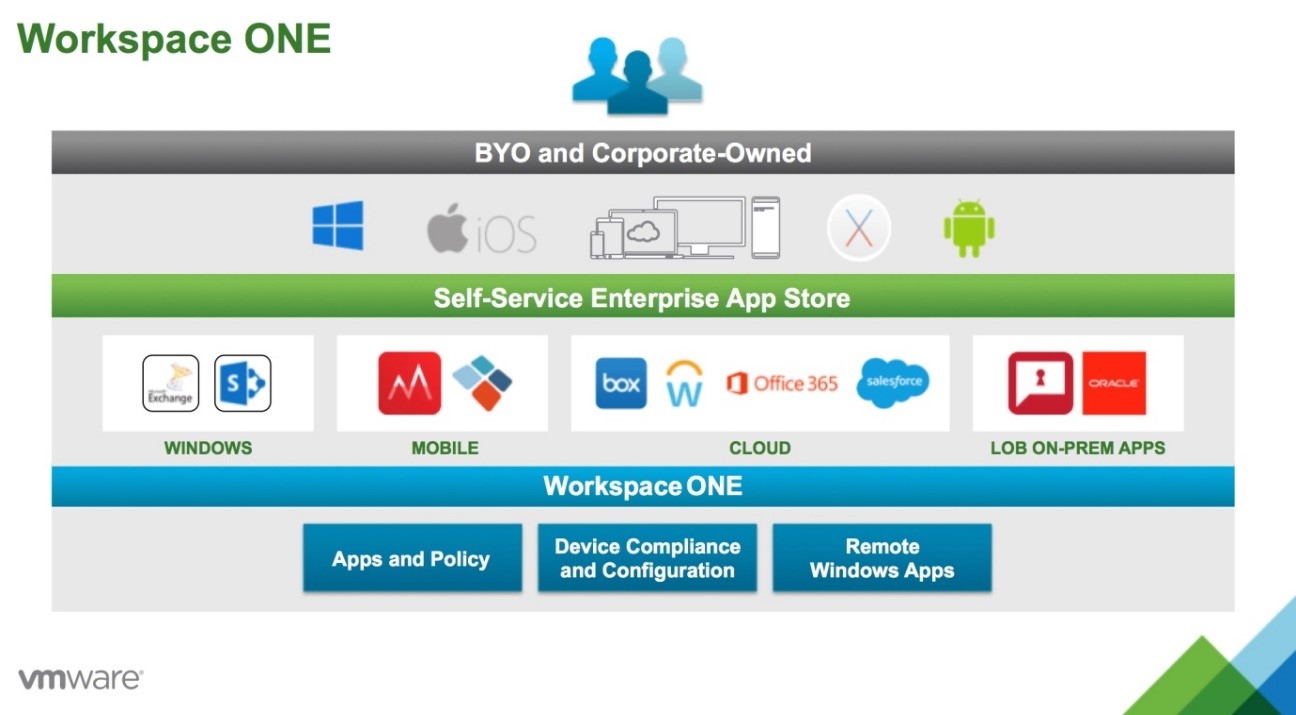
VMware 워크스페이스 원 제품 개요

워크스페이스 원은 액세스 제어, 애플리케이션 관리 및 멀티 플랫폼 엔드 포인트 관리를 통합하며, 클라우드 서비스 형태 또는 사내 구축용으로 제공된다. 워크스페이스 원을 통해 업무 방식, 위치, 디바이스에 종류에 관계없이 임직원의 업무 유연성을 최대로 확보하고 효율성을 높일 수 있다.
데스크톱 가상화 솔루션 Horizon 7
VMware의 데스크톱 가상화 솔루션 호라이즌(Horizon) 7은 고객에게 안전한 데스크톱 가상화 인프라(VDI)를 제공한다. 기업은 호라이즌 7을 통해 중앙에서 필요한 이미지들을 관리, 업무를 간소화하고, 비용을 줄이며 회사의 보안 규정을 지속적으로 준수할 수 있다.
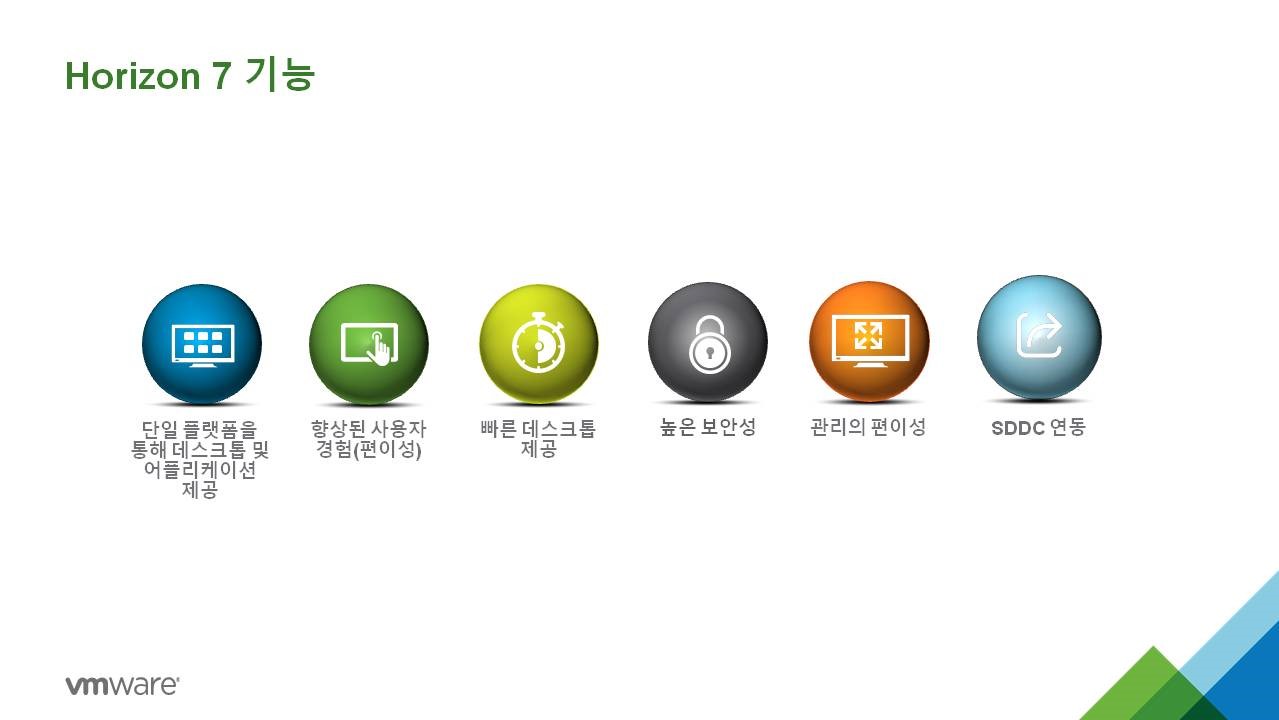
VMware 호라이즌 7 기능
엔드유저는 단일 디지털 워크스페이스를 통해 모든 가상 데스크톱 및 애플리케이션, 온라인 서비스에 접근할 수 있다.
호라이즌 7은 IT 관리자가 단일 플랫폼 통해 사용자에게 가상화되거나 호스팅 된 데스크톱 및 애플리케이션을 안전하게 제공할 수 있도록 지원한다. 따라서 사용자는 언제 어디서나 기기에 구애받지 않고 업무를 효율적으로 처리할 수 있다.

VMware 코리아 김병철 이사
VMware 코리아 엔드유저컴퓨팅 세일즈 부문 김병철 이사는 “하루가 다르게 새로운 디바이스와 OS가 출시되고 치명적인 위협 요소가 끊임없이 발생하는 급변하는 시대”라며, “모바일로 업무 영역이 옮겨간 이 시대에 더 이상 온프레미스 시스템과 레거시 모델 애플리케이션으로는 충분한 생산성을 달성할 수 없다”라고 말했다.
이어 “워크스페이스 원은 업무 환경에 직원을 적응시키는 것이 아니라 업무 환경을 직원에 맞게 조정하고 지원하는 통합 솔루션이다”라고 덧붙였다.
Comments
Related news
VMware Unveils NSX Service Mesh for Microservices
VMware has unveiled VMware NSX Service Mesh, which provides visibility, control, and security across microservices, data, and users at the API layer. VMware NSX Service Mesh extends Istio service mesh technology to deliver visibility, control, and security for microservices, data, users, and legacy monolithic applications at the application layer.
2019.01.11by 이수민 기자
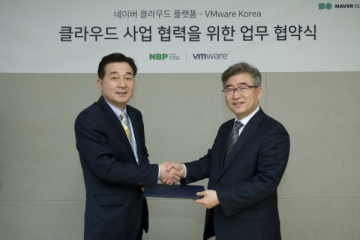
Naver, VMware Collaborate on Cloud Business “Strengthening Enterprise and Public Market Conquest”
NBP and VMware Korea have announced the conclusion of a strategic business partnership agreement and are moving forward to capture the enterprise and public cloud market. To this end, NBP and VMware launched the VMware on Ncloud product on the 27th of last month, which combines VMware solutions with the infrastructure technology of Naver Cloud Platform. VMware on Ncloud provides cloud services with compatibility to VMware-based on-premises environments, enabling seamless transition to hybrid cloud, and delivers enhanced security by incorporating Naver's advanced security technology, offering higher security levels than private cloud.
2019.01.16by 이수민 기자

HID Global Launches HID Origo Cloud Platform to Support Connected Workplaces
HID Global has launched HID Origo, a cloud platform designed to support partners in building seamless and intuitive work environments. HID Origo combines HID's access control architecture with mobile ID technology and future location services, delivering physical security, diverse building applications, services, and IoT use cases through an integrated cloud experience.
2019.01.26by 이수민 기자
.jpg)
SalePoint Signs Multi-Year Partnership Agreement with AWS… Promoting Identity Security that Integrates Even AI Agents
Sailpoint has entered into a multi-year strategic partnership agreement with AWS and is moving forward with establishing an integrated governance system that manages both human and non-human identities together. The plan is to consistently manage access permissions in an environment where AI agents are increasing as work execution entities, while applying the principle of least privilege and automated policy enforcement. The two companies plan to jointly expand capabilities to manage the identities of various entities, including AI agents, within a single layer in the AWS environment. This collaboration is interpreted as a move to design security and governance together in corporate environments where AI adoption is expanding.
2026.03.26by 배종인 기자
.png)
Databricks Unveils Open AI Security Monitoring 'Lakewatch'
Databricks entered the security market on March 24 by unveiling LakeWatch, an open-source agentic SIEM. The core functionality of this product is to integrate and analyze security, IT, and business data in a single environment to support AI-based threat detection and investigation. The company explained that it reduces the limitations of existing security operations centers, which have had to forgo some data due to high cost structures, and enables large-scale data analysis and automation based on open formats and ecosystems. LakeWatch is currently offered as a private preview, with Adobe and Dropbox mentioned as early customers. Databricks also announced an expanded partnership with Anthropic as well as the acquisition of Antimatter and SiftD.ai.
2026.03.26by 배종인 기자











