


"Efficient 3D Scanner Utilization Requires Intuitive Software"
 Published2021.02.16 09:30
Creating 'mesh' for measurement, reverse engineering, and printing
Mesh editing, CAD software compatibility, highly required tools
There are many ways to create a virtual representation of reality. 3D scanners are one of the most effective. 3D scanners project lasers or white light onto an object, capturing its shape and converting it into digital data.
Data acquired by 3D scanners is being used to enhance the capabilities of organizations and companies across various industries. The global 3D scanner market has grown by 15-20% annually over the past decade, and the Korean market, where manufacturing is a key driver of the national economy, is also growing accordingly.
3D scanners can be used in fields such as product development and design, reverse engineering, quality control and warranty maintenance, repair and overhaul, non-destructive testing, science, history, and medicine. 3D scanners are often paired with 3D measurement and editing software.
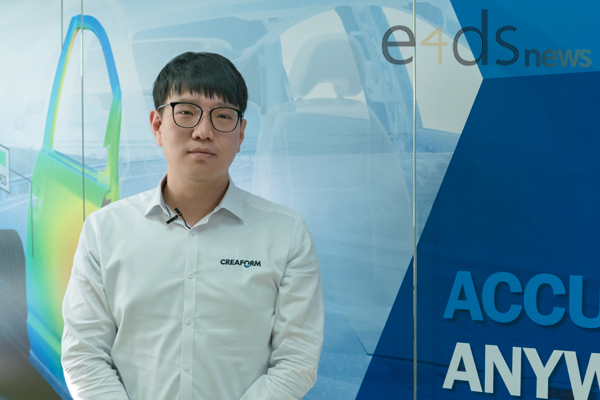
We met with Jeon Jeong-hwan, a sales application engineer at Creaform's Korean branch who is responsible for application support and product training, to learn more about 3D measurement and editing software that digitally creates and modifies reality.
Q. To perform various tasks with the 3D scanner scan results, related software is required. What software does Creaform provide?
A. When you scan with Creaform's 3D scanner, a file called a "mesh" with the "STL" extension is created. A mesh is an international standard for representing 3D data, representing the surface of a shape acquired by a 3D scanner as countless triangles. It can be thought of as a type of polygonal model.
Meshes are primarily used in product dimension measurement, reverse engineering, and 3D printing. Creaform offers VXinspect, a product dimension measurement solution within the VXelements portfolio, and VXmodel, a mesh editing solution for reverse engineering and 3D printing.
Q. In addition to VXinspect and VXmodel, VXremote and VXtrack are also part of VXelements. What is the exact relationship between VXelements and the rest?
A. VXelements is a software program that connects Creaform's 3D scanner to your computer, allowing you to easily use it while also editing the results generated by the 3D scanner. VXelements is divided into several modules.
Those modules are 'VXscan', 'VXprobe', 'VXshot', VXmodel, VXinspect, and VXtrack. Among these, VXscan, VXprobe, and VXshot are modules that are included by default in Creaform's equipment so that they can be used, and VXtrack is an optional module used with the equipment.
VXmodel and VXinspect are options for measuring and editing mesh results and can be purchased separately, regardless of equipment.
Q. Among the modules above, why do you emphasize VXinspect and VXmodel in particular?
A. Creaform's portable 3D scanners are already widely known in the market and are used by many customers. However, compared to the 3D scanner itself, relatively few people are familiar with its software.
Both modules are ideal for use with Creaform equipment. Furthermore, their user interface (UI) is simple and intuitive compared to other modules, and their powerful functionality makes them particularly suitable for those considering measurement and mesh editing. Therefore, we've prepared a related webinar on the 23rd.
Q. Please introduce VXinspect and VXmodel.
A. First, VXinspect is a dimensional measurement software module that helps you compare measured dimensions with design dimensions. It uses mesh files scanned with a 3D scanner or data measured with non-contact probing equipment as measured dimensions, and STEP, IGES files, or other meshes as design dimensions for comparison.
This allows us to verify that the product we produce is manufactured according to the design intent and dimensions. Additionally, VXinspect allows you to easily measure not only simple dimensions such as length and angle, but also geometric tolerances (GD&T).
VXmodel is a module for editing scanned meshes for 3D printing and reverse engineering. It features a simple, intuitive UI and powerful editing features. For example, it aligns the XYZ coordinates of the mesh, fills in holes, and smooths surfaces, making 3D printing preparation easy and convenient.
Q. What is the level of compatibility between the two modules and third-party CAD software?
A. Both VXinspect and VXmodel support the use of common standard file formats, STEP and IGES. Specifically, VXmodel allows you to not only export geometry objects and surfaces created for reverse engineering to STEP and IGES, but also pass the results on to specific CAD software in real time.
Currently, we support three software products: Dassault Systèmes' 'SolidWorks', Siemens PLM Software's 'Solid Edge', and Autodesk's 'Inventor', and we plan to expand the supported software in the future based on user demand.
Q. What are Creaform's future plans for 3D measurement software?
A. Creaform is planning updates that will enhance the original functions of the measurement software, which allows users to scan and inspect products, while also supporting automated scanning and measurement functions.
Additionally, we will continue to maintain an intuitive UI to ensure synergy in terms of efficiency when used with Creaform's 3D scanners.
Comments
Related news
Creaform Launches 3D Scanner for Non-Destructive Pipeline Inspection
Creaform has added Go!SCAN 3D to its NDT pipeline inspection product line for the oil and gas industry. Additionally, it has launched Pipecheck 6.0, an NDT software. Pipecheck 6.0 includes an additional module for wrinkle analysis within pipes.
2020.07.10by 이수민 기자
Siemens Develops Technology to Automated 2D to 3D Drawing Conversion
The latest version of NX software released by Siemens Digital Industries Software incorporates rule-based and knowledge-driven approaches leveraging AI for 3D-based drafting work in enterprises. 'NX 3D-based drafting' provides extensive auto-generation algorithms that define diverse characteristics regardless of model size and shape, enabling truly comprehensive digital twins.
2020.11.13by 김동우 기자
3D printers are ideal for manufacturing customized products.
Formlabs has unveiled the 'Formlabs Factory Solution' for manufacturing enterprises that enables flexible adjustment of production volumes. The solution integrates three components: customized factory packages, customized material development, and Formlabs consulting. It supports customers in adjusting production scale, securing new materials, and controlling their supply chains.
2021.01.20by 이수민 기자
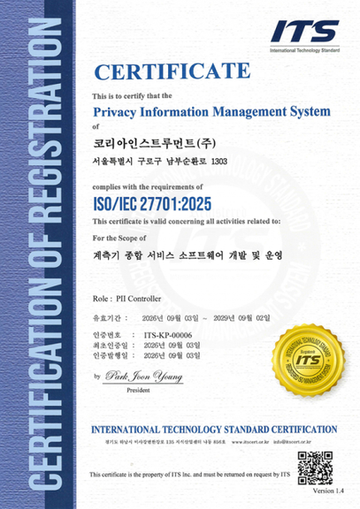
Korea Instrument, KOLAS Accredited Calibration Agency First to Simultaneously Acquire ISO/IEC 27,001·27,701
Korea Instrument has become the first among KOLAS accredited calibration agencies to simultaneously acquire ISO/IEC 27,001 and ISO/IEC 27,701 certifications. Through its proprietary platforms CWIZ Enterprise and CWIZ Partners, the company has embedded information security and personal data protection requirements across all business processes including customer information, equipment data, and calibration reports, with plans to continuously advance its management system through regular audits and security inspections.
2026.10.12by 배종인 기자
TeamViewer One, IT Incident Automation Workflow and Resolution Center Enhanced
TeamViewer has added IT incident automation capabilities and an advanced Resolution Center to its integrated digital workplace management platform 'TeamViewer ONE'. Recurrent service disruptions, configuration errors, and capacity shortages are automatically handled according to preset policies, and device status verification through script deployment can be managed in a unified interface, significantly reducing repetitive tasks for IT teams.
2026.10.12by 배종인 기자











