


VMware Releases Latest Software Updates to Support Operating Systems
 Published2017.08.24 18:10
Workstation 14, network and data center management improvements
VMware has released the latest updates to Fusion and Workstation, its software that allows you to run or use multiple operating systems (OS) on your desktop.
Software 'VMware Fusion 10 Pro' for Mac OS users supports development and testing work on multiple OSes including Windows and Linux, and allows for the integration of development work on DevOps and Agile. It also runs virtual machines compatible with data centers on Mac OS to support design and testing work required for data centers, related networks, or applications.
Fusion 10 Pro supports REST API to enable remote virtual machine (VM) management. Through Fusion, businesses and developers can handle VM operation tasks including inventory management and networking in an up-to-date development and test environment.
It also provides new support for containerization through integration with VMware Photon OS. Users can seamlessly migrate container-based applications during the development process through framework scheduling and use generalized container formats and runtime engines.
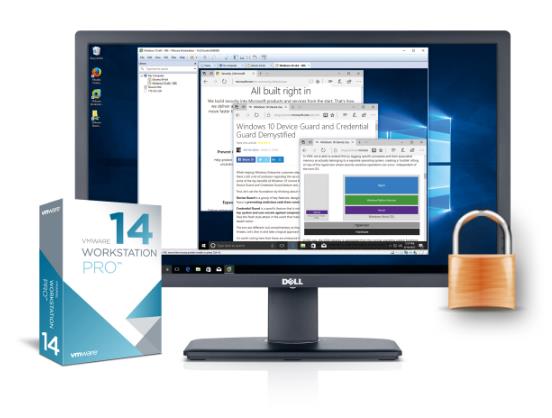
Fusion 10 Pro adds new virtualization-based security features from Microsoft, including Credential Guard VM for Windows 10 and Unified Extensible Firmware Interface (UEFI) Secure Boot, to support a more secure development environment. It also improves networking control, enabling Network Address Translation (NAT) regulation, simulation of network packet loss and latency, and renaming of network virtual machines.
Fusion 10, the general version of Fusion 10 Pro, has enhanced graphics performance and supports smooth use of Windows and Linux OS in a macOS environment. It also includes Apple Metal technology and Touch Bar support.
Workstation 14 Pro offers more powerful security features than before. It supports Virtual Based Security (VBS) on Windows 10 and Windows Server 2016, and adds UEFI Secure Boot and virtual Trusted Platform Module to maintain the highest level of OS security. The new Network Latency Simulator helps developers test or simulate the distance and quality conditions of specific network environments to preview the resiliency of their applications.
It also supports Open Virtualization Format (OVF) and Open Virtualization Appliance (OVA) to simplify data center management and enable developers to automate the installation of packaged applications such as VMware vCenter Server Appliance (VCSA). As a result, data center managers can link vSphere and vCenter, remotely manage virtual machines, and efficiently operate the power of hypervisor 'ESXi' hosts using improved host power management functions.
Workstation 14 Player, the general version of Workstation 14 Pro, provides enhanced OS support and supports virtual machine operation that complies with corporate security policies. It is suitable for companies that run only one VM or want to build a BYOPC (Bring-Your-Own-Personal Computer) environment.
“This announcement is great news for IT professionals who develop and manage applications across a variety of operating systems,” said Dave Grant, senior vice president of product marketing for VMware’s End User Computing business. “The enhanced security and compatibility of both products will ensure an optimal environment for application development or data center management.”
Comments
Related news
VMware Strengthens Hybrid Cloud with vRealize Update
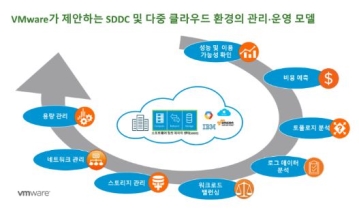
VMware has announced an update to its cloud management platform vRealize. The company is advancing upgrades across Business Cloud, Automation, Log Insight, and Network Insight. The newly improved VMware vRealize enhances the operating environment of software-defined data centers (SDDC) and clouds, and accelerates the deployment of applications and infrastructure services on hybrid clouds. As a result, enterprises can more easily build and operate VMware-based clouds through enhanced intelligent operations capabilities and automated IT. Additionally, by expanding support for container and configuration management solutions, the company makes application development and deployment more convenient for enterprises. vRealize Operations 6.6, a cloud infrastructure management solution, automates workload balancing on clusters and data stores according to business requirements, and allows users to set rebalancing periods in the maintenance management menu. Through pDRS (predictive Distributed Resource Scheduler), which combines vRealize Operations analytics with vSphere DRS, workload conditions can be predicted and situations where workloads concentrate on specific hosts can be avoided. With updated management and monitoring capabilities, users can verify remaining capacity and time, and manage space that can be secured through deduplication and data compression as well as data storage space recovery status. Additionally, it provides effective troubleshooting, proactive alerting capabilities, and visibility encompassing virtual machines and disks to enable centralized management of multiple sites and clusters.
2017.06.08by 김자영 기자
VMware AirWatch Selected for Gartner Magic Quadrant for 7 Consecutive Years
VMware announced that its enterprise mobility management (EMM) solution AirWatch has been selected as a leader in the EMM sector for seven consecutive years in the "2017 Gartner Magic Quadrant" released by IT research firm Gartner. The Gartner Magic Quadrant is a global IT evaluation metric that assesses industry competitiveness based on two evaluation criteria: "completeness of vision" and "ability to execute." VMware AirWatch has received the highest score in the ability to execute category for five consecutive years since 2013, and following last year, it also achieved the top score in the completeness of vision category, attaining simultaneous first place in the EMM sector for two consecutive years.
2017.06.13by 김지혜 기자
VMware Implements Work Network Separation at Gyeongbuk Office of Education Using Desktop Virtualization
VMware has provided desktop and application virtualization solution VMware Horizon to Gyeongbuk Office of Education, implementing a digital workspace that strengthens security and enhances convenience. Gyeongbuk Office of Education, which oversees education policies and administration in Gyeongbuk Province, sought to establish a superior security system capable of protecting critical information of students and schools as various security threats have recently surged. To this end, VMware Horizon was deployed, and virtualization-based logical network segmentation capable of simultaneously preventing external security threats and internal information leakage was established in collaboration with VMware partner company IR Company.
2017.08.01by 김자영 기자
.jpg)
SalePoint Signs Multi-Year Partnership Agreement with AWS… Promoting Identity Security that Integrates Even AI Agents
Sailpoint has entered into a multi-year strategic partnership agreement with AWS and is moving forward with establishing an integrated governance system that manages both human and non-human identities together. The plan is to consistently manage access permissions in an environment where AI agents are increasing as work execution entities, while applying the principle of least privilege and automated policy enforcement. The two companies plan to jointly expand capabilities to manage the identities of various entities, including AI agents, within a single layer in the AWS environment. This collaboration is interpreted as a move to design security and governance together in corporate environments where AI adoption is expanding.
2026.03.26by 배종인 기자
.png)
Databricks Unveils Open AI Security Monitoring 'Lakewatch'
Databricks entered the security market on March 24 by unveiling LakeWatch, an open-source agentic SIEM. The core functionality of this product is to integrate and analyze security, IT, and business data in a single environment to support AI-based threat detection and investigation. The company explained that it reduces the limitations of existing security operations centers, which have had to forgo some data due to high cost structures, and enables large-scale data analysis and automation based on open formats and ecosystems. LakeWatch is currently offered as a private preview, with Adobe and Dropbox mentioned as early customers. Databricks also announced an expanded partnership with Anthropic as well as the acquisition of Antimatter and SiftD.ai.
2026.03.26by 배종인 기자











