



NI Launches LabVIEW NXG, Enabling Smarter Testing
 Published2018.02.05 10:29
National Instruments announced the release of the latest version of LabVIEW NXG, its next-generation engineering system design software.
LabVIEW NXG now enables smarter testing. Engineers can quickly install instrument drivers, customize tests to device specifications, and easily monitor test results from any web-enabled device.
This latest version of LabVIEW NXG offers significant benefits, particularly for engineers developing, deploying, and managing automated test and measurement systems over time. The new LabVIEW NXG introduces WebVI, a type of VI that implements web-based user interfaces (UIs), enabling deployment to any web browser—PC, tablet, or smartphone—without plug-ins or installers.
Additionally, the new SystemDesigner feature automatically discovers connected hardware and displays installed drivers, reducing hardware configuration time. If NI and third-party instrument drivers aren't already installed, it links directly to available drivers.
.jpg)
Additionally, hardware support has been expanded to thousands of commercial instruments and NI's high-performance PXI modular instruments. LabVIEW NXG now also offers programming capabilities such as object-oriented programming and integration with industry-leading TestStand test management software.
NI has introduced several features, including the WebVI, into LabVIEW NXG to enable integration with existing LabVIEW applications without extensive software refactoring. Engineers can reuse test code, including code written in LabVIEW NXG or LabVIEW, through a new package manager interface implemented in an industry-standard package format.
“By building test systems using both LabVIEW and LabVIEW NXG, we can work with both versions and take advantage of the unique strengths of each,” said Brian Hoover, test software architect at Samsung SDI. “With this new LabVIEW NXG release, we can integrate new ways to visualize data for secure hosting on the desktop or in a browser with vector-based UI graphics into our existing LabVIEW applications, simplifying test result reporting.”
Comments
Related news
NI Launches Powerful Distributed Data Acquisition FieldDAQ Device
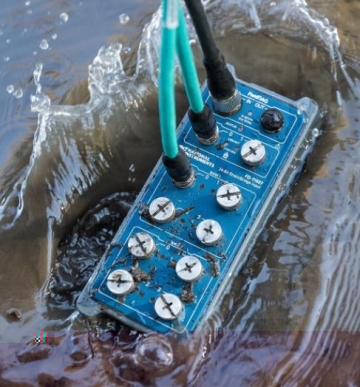
National Instruments (NI) has announced a powerful distributed and synchronized FieldDAQ device. As complex electromechanical systems such as vehicles, aircraft, and industrial equipment become increasingly sophisticated, validation testing must also become more rigorous in keeping with this innovation. In the automotive industry, manufacturers face stringent requirements in line with enhanced government standards as well as rising customer expectations for new capabilities such as advanced driver assistance systems. To ensure the safety, reliability, and quality of these systems, it is critical to collect accurate data during the testing process.
2018.01.10by 김지혜 기자

NI Korea Unveils Integrated Solution to Resolve Issues in Semiconductor Testing Process
National Instruments (hereinafter NI) announced that it will participate in 'Semicon Korea 2018' to showcase semiconductor test integrated solutions and demonstrations. Korean NI plans to introduce solutions that reduce semiconductor test costs, shorten time, and provide measurement accuracy. NI's platform-based approach ensures high performance and efficiency across the entire test process from characterization to production testing, and provides scalable solutions that address various issues.
2018.01.29by 김학준 기자

NI Launches Semiconductor Component Tester Offering High Integration
National Instruments announced the high-integration Source Measurement Unit (SMU) PXIe-4163. This product delivers 6x improved DC channel integration density compared to the existing NI PXI SMU for testing RF, MEMS, mixed-signal and other analog semiconductor components.
2018.02.01by 김지혜 기자
.jpg)
SalePoint Signs Multi-Year Partnership Agreement with AWS… Promoting Identity Security that Integrates Even AI Agents
Sailpoint has entered into a multi-year strategic partnership agreement with AWS and is moving forward with establishing an integrated governance system that manages both human and non-human identities together. The plan is to consistently manage access permissions in an environment where AI agents are increasing as work execution entities, while applying the principle of least privilege and automated policy enforcement. The two companies plan to jointly expand capabilities to manage the identities of various entities, including AI agents, within a single layer in the AWS environment. This collaboration is interpreted as a move to design security and governance together in corporate environments where AI adoption is expanding.
2026.03.26by 배종인 기자
.png)
Databricks Unveils Open AI Security Monitoring 'Lakewatch'
Databricks entered the security market on March 24 by unveiling LakeWatch, an open-source agentic SIEM. The core functionality of this product is to integrate and analyze security, IT, and business data in a single environment to support AI-based threat detection and investigation. The company explained that it reduces the limitations of existing security operations centers, which have had to forgo some data due to high cost structures, and enables large-scale data analysis and automation based on open formats and ecosystems. LakeWatch is currently offered as a private preview, with Adobe and Dropbox mentioned as early customers. Databricks also announced an expanded partnership with Anthropic as well as the acquisition of Antimatter and SiftD.ai.
2026.03.26by 배종인 기자











