


STM32CubeIDE, FreeRTOS Thread-Aware Debugging Added
 Published2020.12.08 10:24
Added FreeRTOS thread-aware debugging feature
Direct access to STM32CubeMX configuration features
STMicroelectronics announced today that it has added FreeRTOS™ Thread-Aware debugging capabilities to its STM32CubeIDE development environment to help users complete their projects quickly and easily.
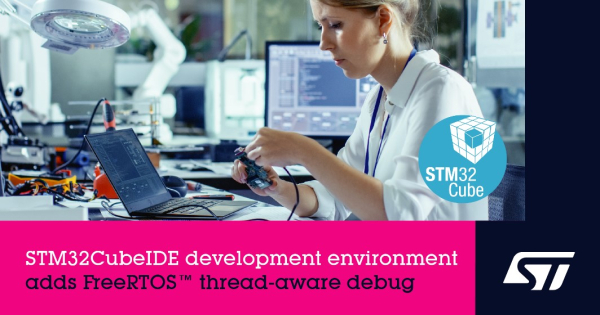
This capability enables users to efficiently develop RTOS for modern embedded systems with increasing complexity due to sophisticated features such as cybersecurity, wireless connectivity, user interface graphics, and multiple operation modes.
ST announced today the completion of the migration of key advanced STM32 features from Atollic’s TrueStudio® to STM32CubeIDE, following its 2017 acquisition of Atollic, and the latest update.
STM32CubeIDE with TrueStudio now provides direct access to STM32CubeMX configuration features to simplify project setup. Users can select an MCU from the entire STM32 portfolio and configure GPIOs, clock trees, peripherals, and pin assignments. Additionally, you can quickly analyze power consumption, select middleware stacks, and generate initialization code for the desired configuration.
In addition to easy configuration, the STM32CubeIDE C/C++ development platform accelerates code generation, code compilation, and debugging for all types of systems, from simple bare metal to multi-threaded OSs. Users can view CPU core registers, memory, and peripheral registers, analyze real-time variables and serial wire data, and troubleshoot by identifying project status and memory requirements with the build and stack analyzer.
The free STM32CubeIDE is based on the Eclipse®/CDT development framework, the GCC toolchain, the GNU Debugger and GDB, and is supported on all major desktop systems. Users can choose to work with ST’s ST-LINK and SEGGER’s J-Link debug probes, and choose from a variety of plug-ins available in the Eclipse IDE.
Comments
Related news
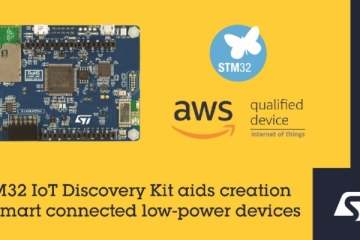
ST Unveils Development Kit to Simplify IoT Node Development Process
STMicroelectronics has launched the STM32 Discovery Kit B-L4S5I-IOT01A, which simplifies the IoT node development process. The kit supports a quality-certified FreeRTOS port, integrates seamlessly with the STM32Cube ecosystem, and enables direct connectivity to AWS.
2020.07.17by 강정규 기자
ST Unveils Display Expansion Board for Embedded Devices
ST Microelectronics has launched the X-NUCLEO-GFX01M1 display expansion board that enables developers to easily add small displays to a variety of embedded devices. Using this board together with the STM32G0 MCU product family and TouchGFX software, developers can add small displays to any device for just 5 dollars.
2020.10.19by 강정규 기자
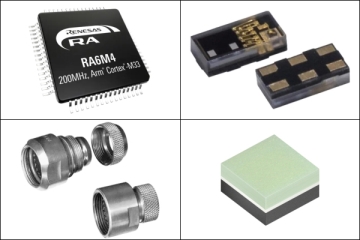
Mouser offers 387 new products, including MCUs, sensors, and connectors.
Mouser Electronics announced that it will supply an additional 387 new products including Renesas RA6M4 MCU, ams TMD2755 sensor module, Amphenol circular military-specification connectors, and Osram SFH 4737 IR broadband emitter.
2020.12.01by 강정규 기자
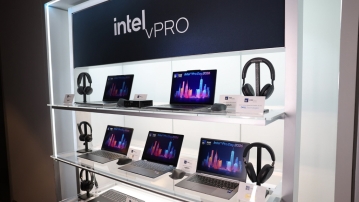
Intel Unveils Next-Generation 'Core Ultra Series 3' and vPro Platform for Enterprise PCs
Intel has officially unveiled the "Intel Core Ultra Series 3" for next-generation enterprise PCs and the latest vPro platform, addressing a wide range of demands from enterprise notebooks to high-performance workstations.
2026.03.26by 배종인 기자
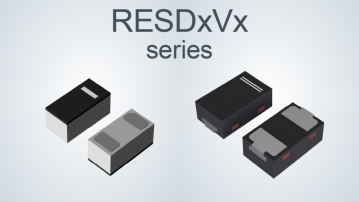
ROHM Launches ESD Protection Diode Compatible with High-Speed Interfaces of 10Gbps or Higher
Semiconductor specialist ROHM has developed the 'RESDxVx series' of ESD (electrostatic discharge) protection diodes capable of responding to next-generation high-speed data communication environments exceeding 10Gbps, simultaneously enhancing both signal quality maintenance required in high-speed interfaces and IC protection performance.
2026.03.26by 배종인 기자











