


Mouser Launches Easy-to-Use Help Center
 Published2022.05.17 07:58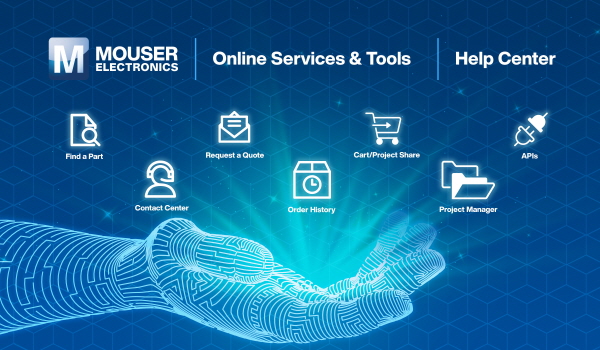
Mouser Electronics, the industry's leading New Product Introduction (NPI) distributor with the widest selection of semiconductors and electronic components, is committed to customer satisfaction with its easy-to-use online service and tools page and help center.
Mouser announced on the 16th that it is offering a variety of customer-focused online tools to simplify and optimize the component selection and purchasing process.
Mouser's Services & Tools page and Help Center guide customers through services such as order tracking and tracking, requesting technical support and data sheets, and placing orders via API or EDI, making it easy to browse, select, and purchase products.
“Mouser goes beyond offering a wide range of products to provide a best-in-class customer experience by offering comprehensive online resources for customer service,” said Mark Burr-Lonnon, Mouser’s senior vice president of Global Services and Middle East and Asia Pacific. “Mouser’s Help Center and Services & Tools pages make it easier to find and order the parts you need for your next design project,” he said.
Selecting the components needed for a design can be complex and time-consuming, sometimes requiring multiple purchases or a complex shopping list.
Mouser's Services & Tools page provides valuable resources for design and engineering, quoting, and purchasing.
Mouser's Services & Tools page offers a variety of time-efficient solutions, including the Smart BOM Tool® FORTE, order automation resources, and an extensive ECAD design library.
Mouser's Services and Tools page can be accessed at https://kr.mouser.com/servicesandtools/, or by clicking the 'Services and Tools' tab in the top navigation bar of any mouser.com page.
Mouser's revamped Help Center provides answers to frequently asked questions (FAQs) as well as easy-to-use customer support resources.
The Help Center offers a search function, quick links to find specific parts or request a quote, and information on creating a My Mouser account.
Mouser's Help Center can be accessed at https://kr.mouser.com/help/, or by clicking 'Help' in the top navigation bar of any mouser.com page.

Comments
Related news
Mouser to Offer 5.8GHz Low-Noise Amplifiers
As 5G deployment accelerates, the importance of RF front-end in wireless communication between IT devices is increasing. In response, low-noise amplifiers (LNAs) that amplify frequencies are required to deliver lower noise and distortion performance in 5G communication environments. Mouser Electronics has announced the supply of a new LNA.
2022.04.18by 명세환 기자
Mouser presents cutting-edge smart factory technology
Mouser Electronics held the 'Mouser Industrial Automation Seminar 2022' online seminar over two days on Wednesday, April 27th and Thursday, April 28th.
2022.04.27by 명세환 기자
Mouser to Supply Automotive Position Sensors from ams and Osram
Mouser Electronics supplies ams OSRAM's automotive position sensors, providing excellent durability for automotive applications.
2022.04.29by 명세환 기자
Mouser Expands Domestic Supply of ST Semiconductor Solutions
Global electronic components distributor Mouser Electronics is stably supplying a wide range of products from world-leading semiconductor manufacturer STMicroelectronics to the domestic market and strengthening the electronic design environment.
2026.03.24by 배종인 기자

Mouser Expands Online Resource Center to Support Real-World Deployment of Autonomous Vehicles
Global electronics distribution company Mouser has strengthened its autonomous vehicle (AV) resource hub, focusing on design challenges and system architecture necessary for implementing production-ready autonomous driving systems.
2026.03.17by 배종인 기자











