Techday
This page was machine-translated and may differ from the original. View original

[Interview] Alexander Renu, STMicroelectronics Representative – “TouchGFX, Perfect Implementation of GUI for Hardware”

Google 우선 소스Published2022.11.17 14:37
TouchGFX, Perfect Implementation of GUI for Hardware
Minimizing CPU load and memory, optimized for STM32 MCU
Suitable for all performance MCUs, easy HMI fabrication possible
[Editor's Note] TouchGFX is a graphics solution optimized to facilitate the development of graphics-related projects and enable the creation of high-end UIs even with limited hardware performance. TouchGFX helps developers using STM32 MCUs create screen compositions more easily and with higher quality. STMicroelectronics featured TouchGFX as one of its key announcements at the K-TEC Conference, which will be held online from November 16 to 17. Accordingly, this publication took a closer look at TouchGFX through an interview with Alexandre Renoux, a representative from STMicroelectronics who gave a presentation at the event.

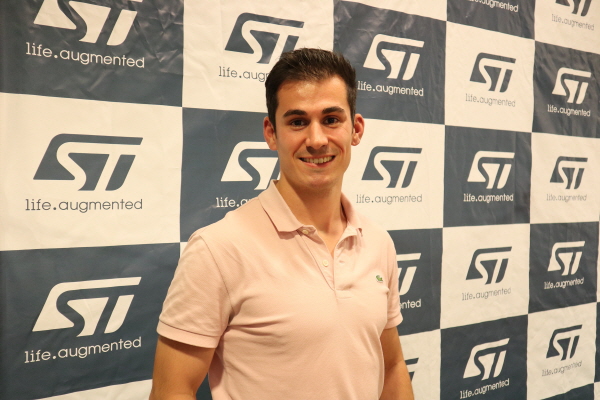
▲ Alexandre Renoux, Assistant Manager at STMicroelectronics
■ Please introduce TouchGFX.
TouchGFX is a software solution that enables the complete implementation of GUI applications for STM32-based hardware.
The goal of this tool is to help customers develop HMIs quickly and easily without additional costs.
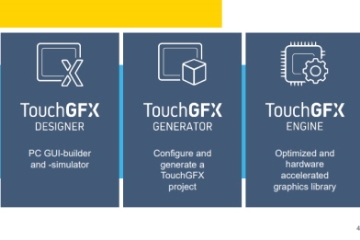
TouchGFX consists of three elements.
TouchGFX Designer is an easy-to-use GUI builder for TouchGFX that allows you to create the visual appearance of TouchGFX applications.
TouchGFX Generator is an STM32CubeMX plugin that allows users to configure and generate custom TouchGFX abstraction layers (ALs) for STM32-based hardware.
The TouchGFX Engine is a TouchGFX C++ framework that drives UI applications and handles screen updates, user events, and timing.
Latest TouchGFX The technology is optimized for STM32 microcontrollers to provide maximum performance while minimizing CPU load and memory usage.
■ The most powerful differentiators and features of TouchGFX are
Considering the facts learned from customers and the intentions at the time of developing this graphics solution, TouchGFX is clearly differentiated in four aspects.
The first and most differentiating feature is, needless to say, the price. Since TouchGFX is free while using an STM32 MCU, you can enjoy ST's software solutions without paying any costs.
The second is usability. Thanks to TouchGFX Designer, TouchGFX is very easy to use, allowing anyone to comfortably create the HMI they want.
In addition, since TouchGFX is integrated into CubeMX, most of the necessary code is generated, which shortens time to market.
The third differentiating feature is the instruction manual. TouchGFX has a manual website in five languages (English, Japanese, Korean, Traditional Chinese, and Simplified Chinese), so the majority of customers in Asia can read it in their native language.
In addition, the content is very detailed and contains a lot of information that is helpful to customers.
The ST community also has a section where people can ask questions and get answers from ST experts or TouchGFX users.
Finally, TouchGFX runs very efficiently on any STM32 MCU. TouchGFX is suitable for all MCUs, from low-end MCUs like the STM32G0 to high-end MCUs like the STM32H7, and helps customers easily create HMIs even on MCUs with limited performance and built-in memory.
■ TouchGFX consists of TouchGFX Designer, TouchGFX Generator, and TouchGFX Engine. Please provide a brief explanation for each.
TouchGFX is a graphics solution composed of three elements.
The first component, TouchGFX Designer, is the software most frequently used for designing GUIs thanks to its optimized and user-friendly interface.
Because this GUI software uses the WYSIWYG (What You See Is What You Get) method, you can create a GUI without coding by dragging and dropping widgets onto the canvas.
The second component, TouchGFX Generator, allows you to perform several settings in a UI project, such as the display interface, color depth, the number of frame buffers to use, and their positions.
This generator is provided within CubeMX as an additional package that can be added to the project.
Thanks to this component, abstract layer code is generated to connect the display and memory to the MCU.
The final component, TouchGFX Engine, is a proprietary graphics library developed by ST that enables the creation of any UI for any display.
This is also a core element of TouchGFX. This includes advanced rendering algorithms that minimize the number of pixels drawn on the display and enable the creation of HMIs as easily as possible on selected hardware.
■ The latest version of TouchGFX is continuously being updated. The most recently updated feature is
As of today, the latest version of TouchGFX is 4.20, and version 4.21 is scheduled to be released later this year.
Starting with version 4.17, a completely redesigned new TouchGFX Designer was introduced to improve the user experience.
This year, ST improved many features within TouchGFX Designer, including text management, and thanks to this, it is now possible to group text into a single unit to search for specific strings.
One of the most recent improvements is the ability to export and import custom containers. Thanks to this, previously created UI components can be easily reused.
In addition, algorithms for rendering shapes such as circles and lines have been significantly improved.
In version 4.21, customers can easily create prototypes without a dedicated UI designer through the GUI asset library.
ST is continuously fixing bugs and introducing an improved user experience with every update.
■ Market reaction to TouchGFX
TouchGFX appears to be highly regarded in the market, and many DIY enthusiasts are using it to configure their desired HMIs.
DIY enthusiasts, small and medium-sized businesses, and even large corporations are choosing TouchGFX. Its free and easy-to-use nature seems to be what attracts users. After purchasing the kit, all you have to do is create a prototype of the features you want.
As TouchGFX's popularity grows, we are receiving a flood of requests. We are doing our best to address these and incorporate them into our solutions.
■ What kind of applications does TouchGFX aim for?
TouchGFX targets large-scale application panels. In reality, it is not TouchGFX that determines the type of application, but the hardware being used.
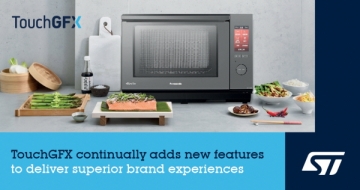
To introduce a few areas in the market where TouchGFX can be utilized: △ These include industrial products that control computers, devices, door locks, boilers, etc., such as HMI; home appliances such as coffee machines, washing machines, microwave ovens, and vacuum cleaners; wearable devices such as smartwatches, sports watches, and golf watches, as well as remote controls; and medical devices such as respiratory assistive devices and insulin pumps.
The only sector we generally do not consider a target is the automotive industry. The rest are suitable for using TouchGFX.
TouchGFX is known as an MCU-based GUI solution. Currently, it only supports ST's STM32 products. I am curious to know which products within the diverse STM32 portfolio are supported.
Actually, all STM32 MCUs are supported, but there are demos and projects running on G0, WB, F4, L4, L4+, U5, F7, and H7.
■ What development environment is required for TouchGFX Designer (PC tool) to perform at its best
To get the best performance from TouchGFX Designer, it is recommended to use a Windows computer equipped with 8-16GB of RAM, an SSD, and a relatively modern CPU such as an Intel i5 10xxx.
본 기사에 대한 정정·반론·추후보도 청구는 보도 청구 안내를, 그간 게재된 보도문은 정정·반론보도 모아보기를 참고해 주세요.
배종인 기자
배종인 기자