


Dropbox Improves Workflow… Supports Work Simplification and Streamlining
 Published2023.10.11 17:02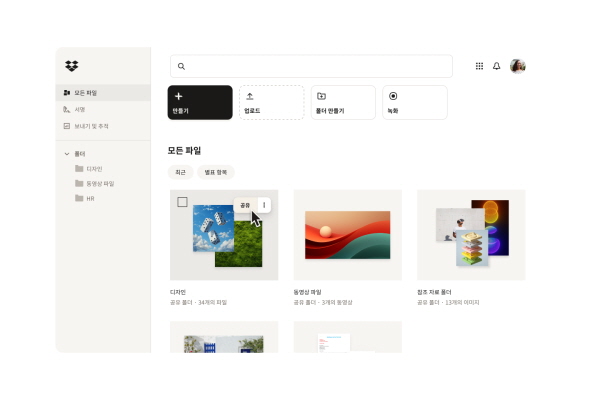
드롭박스 대시, 툴·앱·콘텐츠 등 검색 기능 지원
드롭박스 AI, 저장된 콘텐츠 활용도 극대화
드롭박스는 드롭박스 대시(Dropbox Dash) 오픈베타, 드롭박스 AI(Dropbox AI), 올인원 동영상 협업 툴 드롭박스 스튜디오(Dropbox Studio) 등 업무 효율을 증대시킬 수 있는 툴과 더불어 개편된 웹 디자인 및 새로운 구독 플랜을 11일 발표했다.
드롭박스는 이코노미스트 임팩트(Economist Impact)가 진행한 연구에서 응답자의 42%가 아무런 방해 없이 생산적으로 일하는 시간이 보통 한 시간을 넘지 않는다고 답했다. 또한, 자동화 도구를 사용하는 사람의 79%가 생산성 향상, 70%가 체계성 증가가 됐다고 응답했다고 밝혔다.
드류 휴스턴(Drew Houston) 드롭박스 공동 창업자 겸 CEO는 “드롭박스는 2세대 분산 근무 모델로서 업무 자동화, 생산성 향상, 그리고 심적 여유 확보를 통해 사용자가 업무에 집중할 수 있도록 지원하고 지속 발전할 것이며, 이번 발표는 그 첫 발걸음”이라고 전했다.
■ 드롭박스 대시, 툴, 앱, 콘텐츠 등의 정보 검색 기능 지원
오늘날 업무가 여기저기 흩어져 있는 가운데, AI 기반 통합 검색 툴 드롭박스 대시는 다양한 툴, 콘텐츠, 그리고 앱을 하나의 검색창에 연결해 콘텐츠를 빠르게 찾을 수 있도록 지원한다.
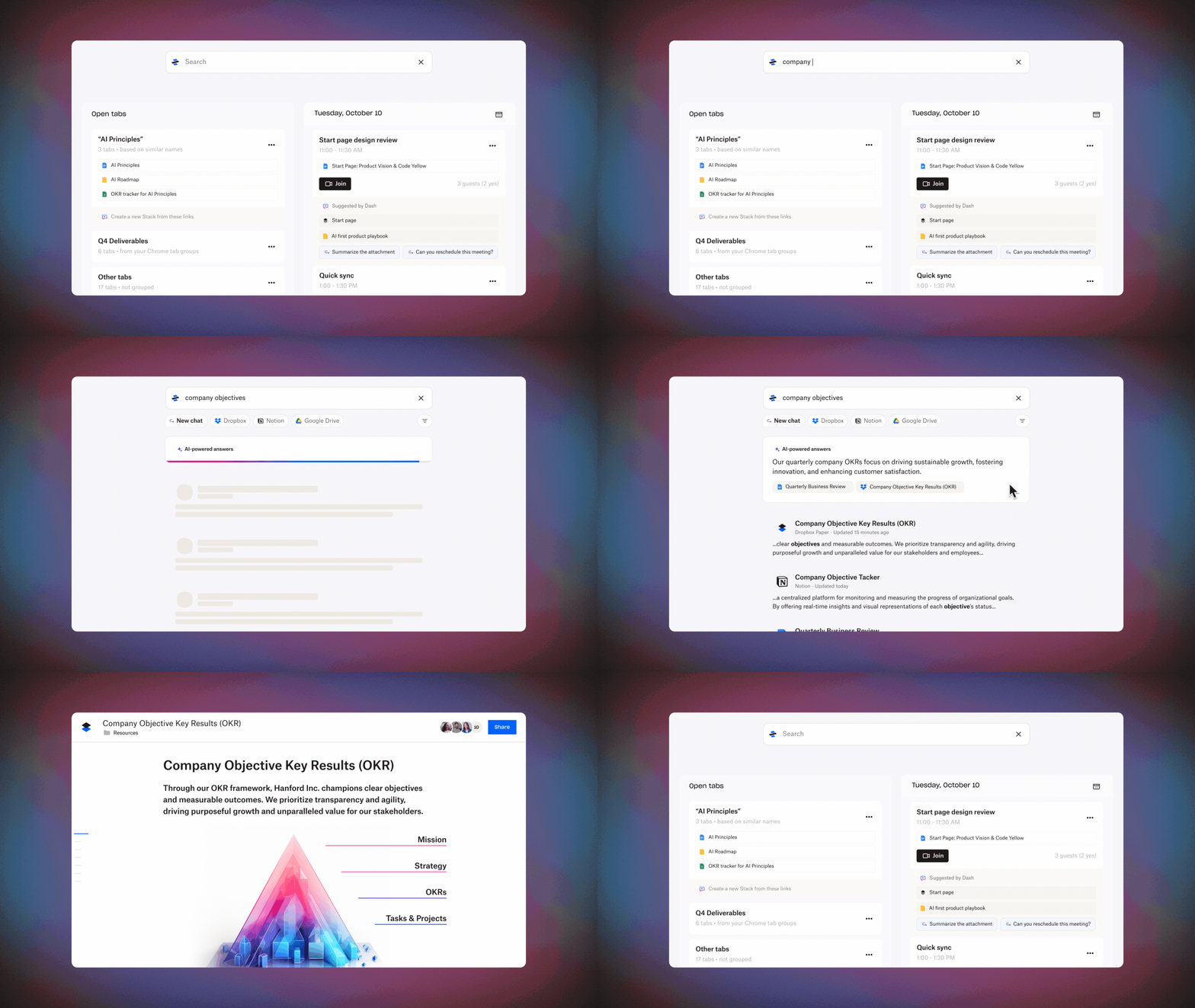
최근 출시된 드롭박스 대시의 오픈베타 버전은 키워드 검색 기능과 시맨틱 검색을 제공해 사용자가 긴 제목을 다 외우지 않아도 키워드만으로 문맥상 관련성이 더 높은 검색 결과를 얻을 수 있도록 지원한다.
또한 질문 기능을 갖춰 생성형 AI를 기반으로 연결된 앱, 파일, 콘텐츠에서 관련 정보를 수집 및 요약해준다.
이 모든 기능은 사용자가 빠르게 원하는 답변을 찾을 수 있도록 돕는다.
드롭박스 대시는 그 동안 제공해온 빠른 URL 저장, 정리, 검색을 도와주는 스마트한 링크 모음 '스택(Stack)'과 통합 검색창 액세스, 스택 확인, 최근 사용한 업무 파일로 이동, 회의 시작 등이 가능한 ‘시작 페이지(Start Page)’도 계속해서 제공하기 때문에 사용자는 보다 간편한 하루 업무 진행 및 중요한 일에 집중이 가능하다.
대시는 현재 영어로만 지원되고 있으며, 보다 자세한 제품 정보 및 글로벌 출시 현황은 드롭박스 대시 홈페이지에서 확인 가능하다.
■ 웹 개편, 보다 빠른 콘텐츠 액세스 지원
드롭박스는 웹사이트 개편을 통해 웹사이트에서 보다 간편한 콘텐츠 정리, 팀원과 협업, 원활한 업무 진행을 지원한다.
드롭박스 웹페이지의 왼편 네비게이션 창은 확장 폴더 형식으로 필요한 기능에 간편하게 액세스하고 원하는 콘텐츠를 더 빠르게 찾을 수 있도록 지원하며, 새로운 액션 바는 브라우저 페이지에 고정돼 보다 빠른 화면 녹화, PDF 편집, 파일 업로드, 폴더 생성, 서명 요청, 문서 전송 및 추적 기능 등을 제공한다.
또한 새롭게 디자인된 파일 미리 보기는 역동적인 미리 보기를 통해 보다 간편하고 빠른 이미지, 동영상, PDF 편집을 돕는다.
새로운 웹 환경은 현재 일부 고객에게 제공되며, 곧 순차적으로 적용될 예정이며 보다 자세한 정보는 드롭박스 제품 업데이트 페이지에서 확인 가능하다.
■ 드롭박스 AI, 저장된 콘텐츠 활용도 극대화
알파 버전으로 제공되고 있는 드롭박스 AI는 생성형 AI를 기반으로 파일 미리 보기 화면에서 질문에 답하고 파일의 대용량 파일을 요약해 준다.
텍스트 문서는 물론 스크립트가 있는 동영상 파일, 오디오 파일 등 드롭박스 계정에 저장된 다양한 유형의 콘텐츠에 제공돼 온 이 기능은 이제 드롭박스 검색창에 질문만 하면 콘텐츠를 살펴 몇 초 내로 답변 및 관련 파일을 찾아준다.
검색 결과에 각 파일에 대한 요약 내용도 함께 표시되어 사용자는 원하는 콘텐츠를 보다 빨리 찾을 수 있다.
더불어 자연어를 사용한 콘텐츠 검색도 지원되기 시작해 명령 시 요약 및 관련 자료를 공유한다.
드롭박스는 계정 설정에서 AI 기능을 자유롭게 끄고 켤 수 있기 때문에 사용자가 보다 주체적으로 AI 사용을 제어할 수 있다.
드롭박스 AI의 지원 범위는 좀 더 광범위하게 확대될 예정이며, 이와 관련된 자세한 정보는 드롭박스 조기 액세스 페이지에서 확인 가능하다.
■ 드롭박스 스튜디오, 동영상 제작에서부터 편집, 검토, 게시까지 하나로 지원
드롭박스에서 사용자가 원하는 영상 제작부터 편집, 검토, 승인, 게시까지 동영상 프로세스 전체를 지원하는 협업툴 드롭박스 스튜디오를 출시했다.
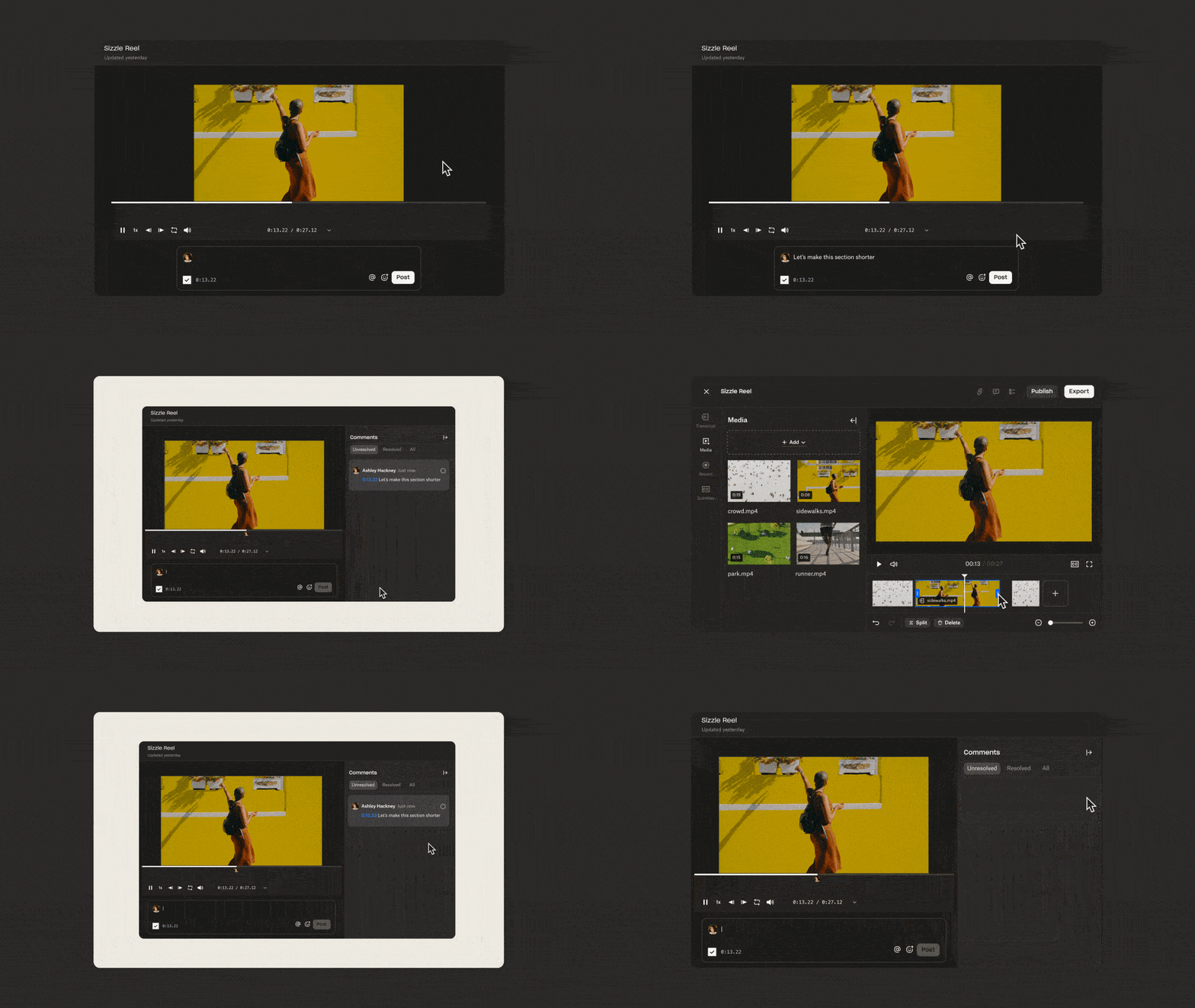
트리밍, 분할 등 편집 기능은 물론, AI를 활용해 스크립트 수정 시 동영상을 함께 수정해주거나 클릭 한 번으로 “음”, “아”와 같은 단어를 간편하게 지워준다.
더불어 타임스탬프 별로 댓글을 남겨 한 공간에서 간편하게 피드백을 남길 수 있으며, 페이스북이나 인스타그램에 바로 게시까지 가능하다.
드롭박스는 플랫폼에 동영상이 매년 15억 개 이상 저장되며, 최근 몇 년 새 가장 빠르게 증가한 콘텐츠 유형 중 하나로 부상하자 수요에 대응하기 위해 드롭박스 캡쳐, 드롭박스 리플레이 등 보다 간편한 동영상 녹화, 편집, 그리고 피드백 교환을 도와주는 새로운 툴을 제공해왔다.
드롭박스 스튜디오는 영문 알파 버전으로 출시될 예정이며, 보다 자세한 정보와 대기자 명단 등록은 드롭박스 스튜디오 홈페이지에서 가능하다.
Comments
Related news
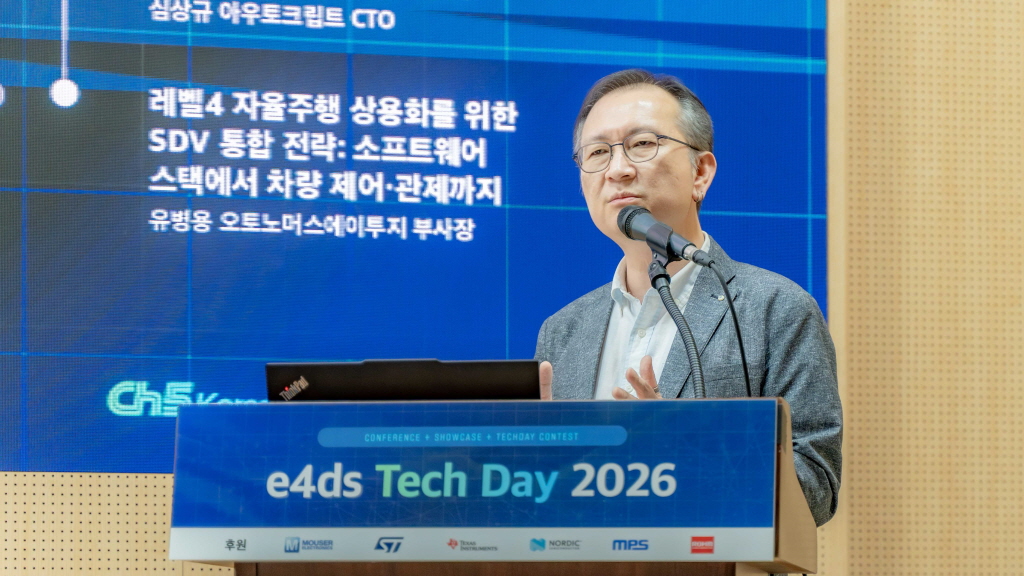
[e4ds Tech Day 2026 ⑨] Sim Sang-gyu, Autocrypt CTO: "In the Physical AI Era, Automotive Security Must Extend Beyond the Vehicle"
At e4ds Tech Day 2026, Sim Sang-gyu, CTO of Autocrypt, explained automotive cybersecurity strategies in the era of Physical AI and SDV (Software-Defined Vehicle). Automobiles are evolving as part of an ecosystem connected to AI, cloud, chargers, IoT, and robots, and he emphasized that the scope of security must expand beyond the vehicle interior to the entire connected environment. In particular, AI model tampering, adversarial attacks, OTA updates, and EV charger hacking were identified as major threats. He explained that response measures require zero trust, AI model integrity protection, intrusion detection, Security by Design and Default, and full lifecycle security management, and that proactive security system establishment beyond regulatory compliance is critical for securing future mobility competitiveness.
2026.10.12by 배종인 기자
NVIDIA to Invest $1 Billion in U.S. Science Over Next Five Years
NVIDIA has announced plans to invest $1 billion over the next five years to strengthen U.S. scientific and technological competitiveness. The company will enhance cutting-edge artificial intelligence research and development capabilities in key areas including quantum computing, healthcare, and energy security, while expanding support for higher education research institutions and cloud service providers. NVIDIA is participating as a major industry partner in the White House Office of Science and Technology Policy's Genesis Mission, and is promoting supercomputer construction in collaboration with national laboratories including Argonne and Los Alamos.
2026.10.12by 배종인 기자
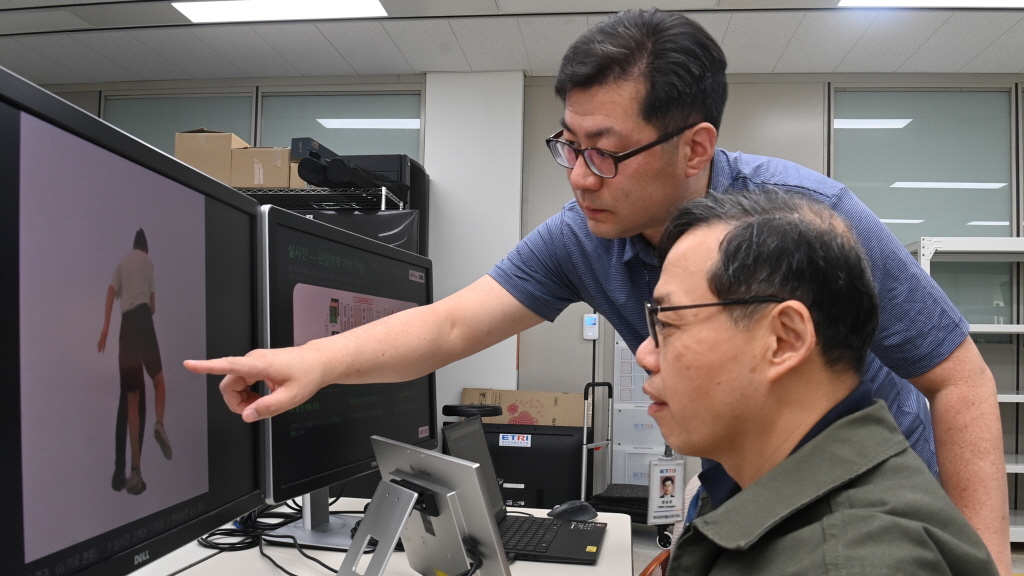
ETRI Unveils 3 Next-Generation Media Technologies Including AI-Dedicated Video Compression
ETRI has unveiled three next-generation media technologies optimized for AI. These include AI-based video encoding (VCM), 3D human generation based on sparse cameras, and generative AI-based pre-visualization technology. In environments where AI directly processes video such as autonomous vehicles, robots, and drones, these technologies enable efficient compression and transmission of large-scale data, and can be applied across various industrial sectors including smart cities, video security, and sports broadcasting.
2026.10.12by 배종인 기자
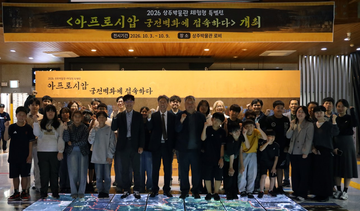
KETI Connects Domestic and Uzbekistan Museums Through Robot Telepresence for Remote Exhibition
The Korea Electronics Technology Institute (KETI) has hosted a remote experiential exhibition that connects domestic museums with an Uzbekistan museum in real-time using robot telepresence technology. Elementary school students in the Sangju area were able to directly operate autonomous robots to remotely view 7th-century Goguryeo envoy palace murals at the Afrasiab Museum in Samarkand, and the exhibition provides spatial experience comparable to on-site visits by combining real-time high-quality video transmission, AI docent, and autonomous driving technologies.
2026.10.12by 배종인 기자
Arduino UNO Q Technical Whitepaper: MPU·MCU Hybrid Board for Cloud-Free Edge AI
Arduino UNO Q is a product that integrates a Qualcomm Dragonwing QRB2210 microprocessor (MPU) running Debian Linux and an STM32U585 microcontroller (MCU) executing Arduino sketches on Zephyr RTOS into a single UNO form factor board. The two processors do not share RAM and resources, exchanging data only through remote procedure calls (RPC) of Arduino_RouterBridge, and the development environment Arduino App Lab and apps reside within the board. This whitepaper describes the design intent of this hybrid architecture, development workflow, hands-on verification results, and limitations in industrial application based on webinar presentation materials and technical Q&A.
2026.10.09by 편집부











