


SK Telecom Launches 'Cloudberry,' a Mobile-Specific Personal Cloud Service
 Published2016.08.23 12:24
Equipped with various features for privacy and security, including hidden folders and file encryption.
Following the opening of T Phone in December of last year and T Map in July, SK Telecom is now opening its cloud services to all users.
SK Telecom announced on the 19th that it has launched 'CLOUDBERRY', a new concept mobile-specific personal cloud service that allows anyone to easily and conveniently store and manage various data.
'Cloudberry' has greatly enhanced the convenience of data management such as photos/videos, and added various functions such as ▲privacy protection and security functions ▲safe storage and restoration of smartphone data, greatly increasing the utilization of mobile clouds, which are currently used as 'temporary data storage space'.
The default capacity of 'Cloudberry' is 36GB for SK Telecom customers and 18GB for third-party users, providing a larger cloud space compared to competitors*. Additionally, SK Telecom is reviewing measures to provide benefits to third-party subscribers at the same level as its own subscribers in the near future.

'Cloudberry' introduced the 'ID' system to ensure continuity of data storage, overcoming the limitations of 'T Cloud', which could not continue to use the service when changing mobile carriers due to subscription being mostly based on phone numbers.
All photos can be easily managed by viewing them in 'Cloudberry'.
Unlike existing cloud services that can only manage photos stored in the cloud, 'Cloudberry' allows you to view and manage photos and videos on your smartphone and photos and videos stored in the cloud on one screen.
When saving photos or videos, you can store them in folders that are automatically created by month, and you can also use the 'Find' function to collect and view only photos taken with a specific device, such as a DSLR.
In addition, a 'Landmark' feature is provided at the top of the photo gallery, which displays images of the days with the most photos taken each year. 'Landmarks' is a feature designed to help users find the photos they want to see as quickly as possible, considering that many photos are usually taken at the moment when a special event occurs.
'Cloudberry' provides 'hidden folder' and 'file encryption' functions to reflect the high interest and need for privacy and security among cloud service users.
"Hidden Folders" are separate storage spaces from Cloudberry's main storage space, allowing users to store important photos and documents separately. Until a "Hidden Folder" is opened, neither its creation status nor its usage information are displayed, making it impossible to know how many "Hidden Folders" a user has created and is using.
Of the 36GB provided to SK Telecom subscribers, 4GB is reserved for a "hidden folder." For customers of other carriers, 2GB of the 18GB is reserved for this purpose. "File encryption" allows users to encrypt important data, such as documents and photos, completely preventing external access. The password is not stored on the server, so no one other than the user can decrypt it.
It also provides a storage function for transferring/restoring smartphone data.
'Cloudberry' provides an easy storage function for various smartphone data to prepare for the transfer or restoration of smartphone data that may occur at any time.
For Android-based smartphones, you can save 11 items, including address book, text messages, call log, calendar, web browser bookmarks, application list, alarm, wallpaper, ringtone, and some system settings (vibration, screen rotation, volume, screen brightness, etc.), while iOS-based smartphones can save address book and calendar.
After the auto-save feature is activated, the system checks the user-defined network environment (※mobile network or WiFi, the default is WiFi) every 24 hours, automatically saving only the changed data items. You can also transfer and restore only the data for specific devices you want. This is expected to significantly reduce the time required to transfer and restore mobile phone data when switching devices at a carrier agency.
Customers of 'T Cloud', whose subscription is scheduled to end on December 31st, can easily transfer their stored data through 'Cloudberry's' 'Data Import' function. 'Cloudberry' will provide this function until December 31st, the end of 'T Cloud'.
"Cloudberry" can be downloaded from the Android Play Store and One Store starting on the 19th by searching for "Cloudberry" or "CLOUDBERRY." An iOS app will also be released soon after the App Store review process is complete. Furthermore, SK Telecom plans to sequentially release a PC-only program and a web browser version of "Cloudberry" to enhance its convenience.
SK Telecom's Vice President of Product Planning, Weiseok Wi, said, "SK Telecom launched 'Cloudberry' so that all customers can easily and conveniently manage and use their valuable data as a cloud service." He added, "We will continue to evolve it into the ultimate cloud service that supports and expands the safe management, convenience, and continuous usability of mobile digital assets."
Comments
Related news
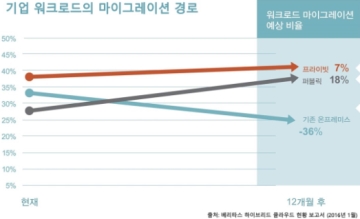
A survey of cloud adoption suggests that "information management should be more important than infrastructure."
Veritas Technologies (www.veritas.com/kr) has released the "State of the Hybrid Cloud" report, which surveyed global enterprises' cloud adoption status. The report emphasizes that three out of four enterprises today are adopting complex private and public cloud strategies, and therefore data management and security strategies for enterprises are critically important. This survey, commissioned by Veritas and conducted by Cicero Group, included 1,800 IT decision makers from enterprises worldwide with more than 500 employees and managed data of 75TB or more. According to the survey, business-critical workloads in public cloud environments are projected to double over the next 24 months, which is comparable to the growth rate of general workloads. This growth trend is expected to increase the responsibility of IT departments to ensure superior availability and security not only for infrastructure but for entire business services.
2016.07.20by 김수지 기자
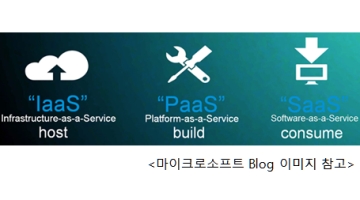
Global Public Cloud IaaS Market to Grow at an Average Annual Rate of 28.2% Over the Next Five Years
Enterprise adoption of public cloud IaaS (Infrastructure as a Service) as an alternative to on-premises hardware infrastructure is rapidly accelerating. According to a survey conducted by IDC (www.idc.com), an IT market analysis and consulting firm, covering approximately 6,000 companies worldwide, two-thirds of respondent companies either currently use public cloud IaaS or plan to adopt it by 2016. Global public cloud IaaS revenue, which was $12.6 billion in 2015, is projected to reach $43.6 billion by 2020, demonstrating a compound annual growth rate of 28.2%.
2016.07.22by 홍보라 기자
ESP32 Development Environment Selection and GPS Application Implementation
The ESP32 is a microcontroller that integrates Wi-Fi, Bluetooth, 12-bit ADC, capacitive touch, PWM, DAC, and UART in a single SoC. However, the abundance of features does not by itself solve the designer's problems. The real challenges lie in selecting the appropriate development environment, determining which pins can be used and which must be avoided, and converting raw data from modules into usable information. This document addresses ESP32 peripheral constraints (ADC2 and Wi-Fi coexistence limitation, UART1 occupancy, ADC non-linear regions), the trade-offs between Arduino IDE and ESP-IDF, and the process from connecting NEO-6M/NEO-M8N GPS modules to UART2, parsing NMEA sentences, and visualizing routes in Google Earth, all organized based on documented references.
2026.10.12by 편집부
MIPI CSI-2, DSI-2, C-PHY, D-PHY Test Solution Technical White Paper
The MIPI interface adopts a burst mode that transitions between low-power (LP) and high-speed (HS) states for low-power consumption, and in return, strict timing rules are imposed on state transitions. Additionally, the high-speed section operates as a packet-based protocol with headers, ECC, and CRC, so verification engineers must handle waveforms and protocols simultaneously. Traditional configurations combining general-purpose oscilloscopes and AWGs reveal limitations in setup complexity, measurement uncertainty, and lack of reproducibility when faced with these requirements. This white paper, based on webinar materials, organizes the structure of this problem and describes how the SV5C-DPTXCPTX generator for receiver testing and SV5C-DPRXCPRX analyzer for transmitter testing integrate state transition testing, stressed eye testing, and protocol analysis into a single bench, along with their application boundaries.
2026.10.12by 편집부

NVIDIA to Invest $1 Billion in U.S. Science Over Next Five Years
NVIDIA has announced plans to invest $1 billion over the next five years to strengthen U.S. scientific and technological competitiveness. The company will enhance cutting-edge artificial intelligence research and development capabilities in key areas including quantum computing, healthcare, and energy security, while expanding support for higher education research institutions and cloud service providers. NVIDIA is participating as a major industry partner in the White House Office of Science and Technology Policy's Genesis Mission, and is promoting supercomputer construction in collaboration with national laboratories including Argonne and Los Alamos.
2026.10.12by 배종인 기자











