


Can I charge my laptop with a spare battery?
 Published2017.02.22 13:51
Maxim's MAX77596, offering low quiescent current and high efficiency, is recommended.
Recently, when a commercial for S Company's laptop showed a laptop being charged with a regular auxiliary battery at the end, many people asked questions.
'Can I charge my laptop with a spare battery?'
The reason why people could surprisingly pay so much attention to a feature that seemed ordinary is because of the 'USB Type-C' technology. In particular, the new USB 3.1 Type-C standard has the advantage of enabling data and power transfer between two devices using the same Type-C cable. USB 3.1 can transfer data at 10Gbps while delivering up to 3A of current with a standard cable and up to 5A with a reinforced cable.
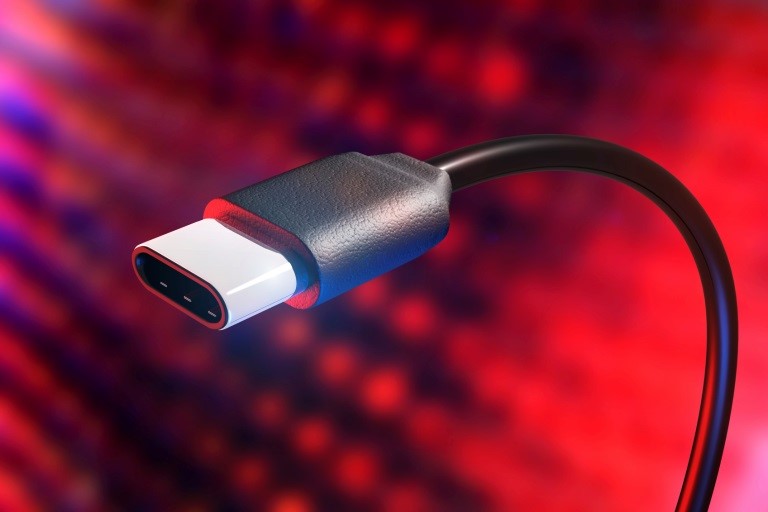
However, there are more than one or two things to consider for engineers designing devices that support the USB 3.1 Type C standard. Because the USB 3.1 Type-C standard is complex, it must determine whether a device is a power source or a power sink before transferring power, and Type-C cables also require additional circuitry to determine exactly where power and data should travel.
It plays an important role in all stages of the power system and must consume minimal power.
A closer look at the USB 3.1 Type-C power management system reveals that the "always-on buck converter" is a key component in the essential handshake between source and sink devices. The always-on buck converter plays a crucial role at every stage, drawing power from the battery or Schottky diode of the USB source and then powering the port controller, which mediates the power exchange between the host system microprocessor (µP) and the power source.
The reason a buck converter must always be on is because the power source can change functions at any time during normal operation, requiring the sink device to be able to recalibrate. Minimizing power consumption is crucial. In this regard, Maxim Integrated's MAX77596, with its 98% duty cycle, is the optimal choice for battery-powered applications.
The MAX77596, a compact synchronous buck converter with integrated switches, is designed to deliver up to 300mA from a 3.5V to 24V input while consuming only 1.1µA of quiescent current at no load. This adjustable buck converter features a resistor-divider-programmable output voltage from 1V to 10V and reduces component count thanks to its on-chip power transistor switches. The MAX77596 provides both forced PWM and skip operating modes.
Maxim explained, “The USB 3.1 Type-C standard delivers more power to more devices with a single Type-C cable. The always-on buck converter (MAX77596), which supports USB Type-C applications, is differentiated by its best-in-class low quiescent current and high efficiency.”
Now, engineers may need to change the question people ask, "Can you charge your laptop with a spare battery?" to " Can you achieve both low power and efficiency with a single always-on buck converter?"
Comments
Related news
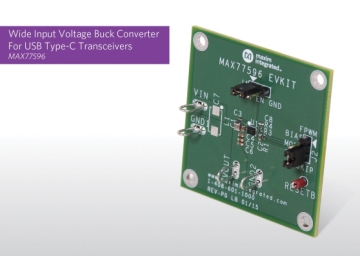
Maxim Launches Ultra-Small 'Buck Converter' Suitable for USB-C Small Form Factor Designs
Maxim Integrated Products Korea (CEO Kim Hyun-sik) has launched the new ultra-low quiescent current buck converter 'MAX77596'. Designers working on USB-C small form factor device designs can implement Always-on rails using the MAX77596.
2016.04.12by 신윤오 기자

ON Semi Unveils USB Type-C Solution at CES 2017
ON Semiconductor plans to launch a comprehensive solution portfolio for effective implementation of USB Type-C applications at the 2017 International Consumer Electronics Show (CES 2017) in Las Vegas. USB Type-C is emerging rapidly as an industry standard for wired smart connectivity, fast charging, and high-speed data transmission, supporting applications such as high-resolution video and augmented and virtual reality. The underlying USB 3.1 protocol can theoretically achieve maximum data speeds of up to 10Gbps, which is twice as fast as USB 3.0, and this is critical in ensuring the operation of portable devices that maintain continuous connectivity and reliably perform their functions.
2016.12.22by 신윤오 기자

NXP Unveils USB Type C Solution for Fast Charging
NXP Semiconductor announced a high-speed fast charging USB Type-C solution. This end-to-end solution is compact yet delivers high efficiency and proprietary fast charging capabilities, featuring USB PD PHY specifications and complying with the Type-C Port Controller (TCPC) standard.
2017.01.09by 김지혜 기자
Intel Unveils Next-Generation 'Core Ultra Series 3' and vPro Platform for Enterprise PCs
Intel has officially unveiled the "Intel Core Ultra Series 3" for next-generation enterprise PCs and the latest vPro platform, addressing a wide range of demands from enterprise notebooks to high-performance workstations.
2026.03.26by 배종인 기자
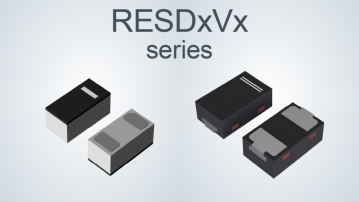
ROHM Launches ESD Protection Diode Compatible with High-Speed Interfaces of 10Gbps or Higher
Semiconductor specialist ROHM has developed the 'RESDxVx series' of ESD (electrostatic discharge) protection diodes capable of responding to next-generation high-speed data communication environments exceeding 10Gbps, simultaneously enhancing both signal quality maintenance required in high-speed interfaces and IC protection performance.
2026.03.26by 배종인 기자











