


Finding products difficult? Now try searching by image.
 Published2017.03.02 11:52
Mouser Electronics announced that its website (Mouser.com) now offers the ability to search and select products by image.
Customers can search for datasheets, the latest products, and products based on parameters, as well as view images and find the product information they need with just a few clicks. The Images tab on Mouser.com provides access to Mouser's extensive product library, containing hundreds of thousands of images.
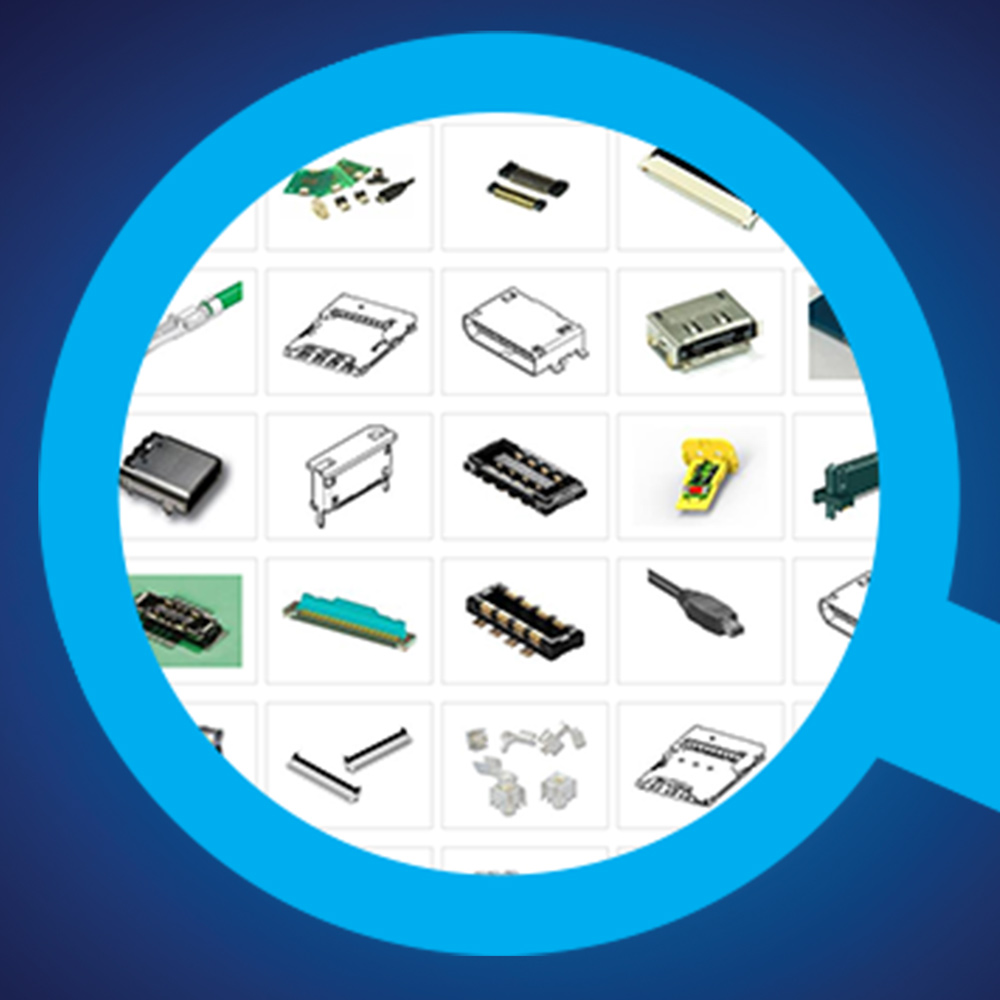
For example, Mouser currently has thousands of connectors listed on its website. If a customer filters by a specific product type, such as "4-pin circular connector," and then clicks the Images tab, they'll see 98 images of that product. Clicking on any of these images will reveal detailed information, including purchasing information, pricing, and configuration options. This is useful for finding a desired product without knowing the part number.
“The new image tab allows customers to browse products using search and navigation features,” said a Mouser Internet business unit representative. “Engineers and purchasing managers can now efficiently sort and browse data sheets using existing search and filtering methods.”
Comments
Related news

Mouser Launches Timing Technology Microsite
Mouser Electronics (www.mouser.com) has launched a new Timing Technology microsite that provides engineers with easy and clear access to the latest technical information regarding timers, counters, and clocks. The Timing Technology microsite, part of Mouser's popular Applications & Technology site for engineers, offers abundant resources including articles and videos related to timing and clock system design, as well as information on various components available for purchase at Mouser, including the latest frequency synthesizers, multiplexers, and clock generators.
2016.06.11by 명세환 기자
Mouser to Supply TI Isolation Amplifiers with 1,000 VRMS Breakdown Voltage Isolation
Mouser Electronics (www.mouser.com) has begun supplying the AMC1301, an enhanced isolated amplifier from Texas Instruments (TI). This device is the industry's first amplifier that withstands 1,000 VRMS breakdown voltage isolation with a minimum insulation lifetime of 40 years. The AMC1301 supplied by Mouser is a highly reliable isolated amplifier featuring low power consumption, high DC accuracy, and improved overall power efficiency compared to conventional devices. The amplifier maintains a low drift offset of 3μV/°C even across a wide operating temperature range of -40 to 125 degrees Celsius.
2016.07.07by 명세환 기자

Mouser Launches MultiSIM BLUE Premium Circuit Design Tool
Mouser Electronics (www.mouser.com) has begun global supply of MultiSIM BLUE Premium, the latest version of MultiSIM BLUE, which is the Mouser version of the NI MultiSIM circuit design tool. MultiSIM BLUE Premium is an upgraded product that newly provides unlimited flexibility and functionality by enabling execution, simulation, PCB design, BOM calculation, and procurement through the MultiSIM BLUE design tool.
2016.07.14by 홍보라 기자

Intel Unveils Next-Generation 'Core Ultra Series 3' and vPro Platform for Enterprise PCs
Intel has officially unveiled the "Intel Core Ultra Series 3" for next-generation enterprise PCs and the latest vPro platform, addressing a wide range of demands from enterprise notebooks to high-performance workstations.
2026.03.26by 배종인 기자
ROHM Launches ESD Protection Diode Compatible with High-Speed Interfaces of 10Gbps or Higher
Semiconductor specialist ROHM has developed the 'RESDxVx series' of ESD (electrostatic discharge) protection diodes capable of responding to next-generation high-speed data communication environments exceeding 10Gbps, simultaneously enhancing both signal quality maintenance required in high-speed interfaces and IC protection performance.
2026.03.26by 배종인 기자











