



[Experience the experience] I gave my Gear S3 with Samsung Pay to an employee when it didn't work.
 Published2017.05.15 06:17
Service industry workers who can't check their phones find it "convenient."
On Tuesday, the 2nd of this month, Samsung Pay service was added to the Gear S3.
'Ah, the long-awaited Samsung Pay!'
It seemed as if Gear users were listening. Readers were showing keen interest in wearable devices, and at that very moment, I decided to try out the Gear S3 Bluetooth version.
The phone is a Samsung Galaxy J7. Even without a phone connection, you can use the basic S Health app (step count, cups of coffee/water consumed, stairs climbed, calories burned, heart rate, etc.), a barometer, calendar, and advance notification news briefing. To use communication features (including Samsung Pay), the phone must always be connected. You can make and receive calls and texts, but KakaoTalk only allows you to reply to new messages.
Samsung Pay is launched by holding down the button in the upper right corner. I installed the Gear S and Samsung Pay Mini on my phone. The Gear S offers a wide variety of apps, including watch faces, games, music players (Melon, Mnet), Seoul Public Transportation, Samsung-exclusive eBooks, dictionaries, and various launchers. I lost track of time browsing the app store.
Samsung Pay supports Samsung, Lotte, Hana, and Hyundai cards. After registering the card, I entered a six-digit PIN number into the Gear. After connecting Samsung Pay, I was required to enter the PIN even when using the default Gear app. Although it is only two digits, an additional screen appears even in normal times other than when using Samsung Pay.
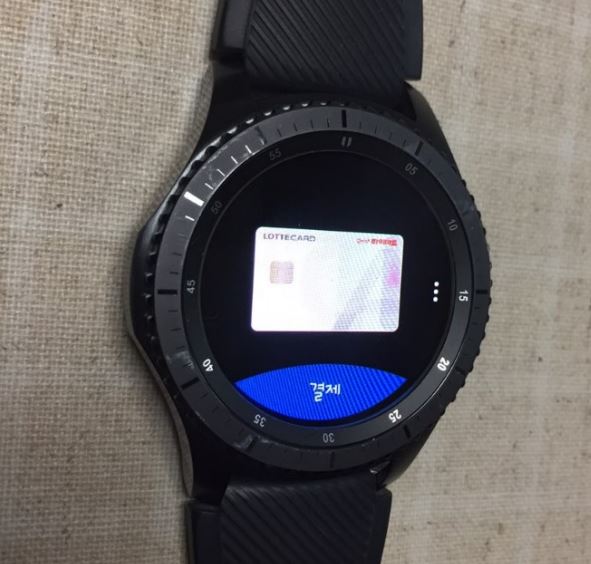
The moment has come to pay with Samsung Pay.
Reporter : "Excuse me, payment." (Wrist cuffs)
Employee : “Yes?”
Reporter : "Oh, it's Samsung Pay. It's available on a watch. (Wink)"
Employee : “Oh, just a moment.”
Reporter : (moves his wrist busily over the force) “Hahaha…” (takes off his watch and hands it to an employee)
It's like Samsung Pay on your phone. It's convenient because the payment is completed the moment you say "Here it is." , but it can be a bit embarrassing when the payment doesn't go through.
It's useful for service industry workers who can't check their phones, but...
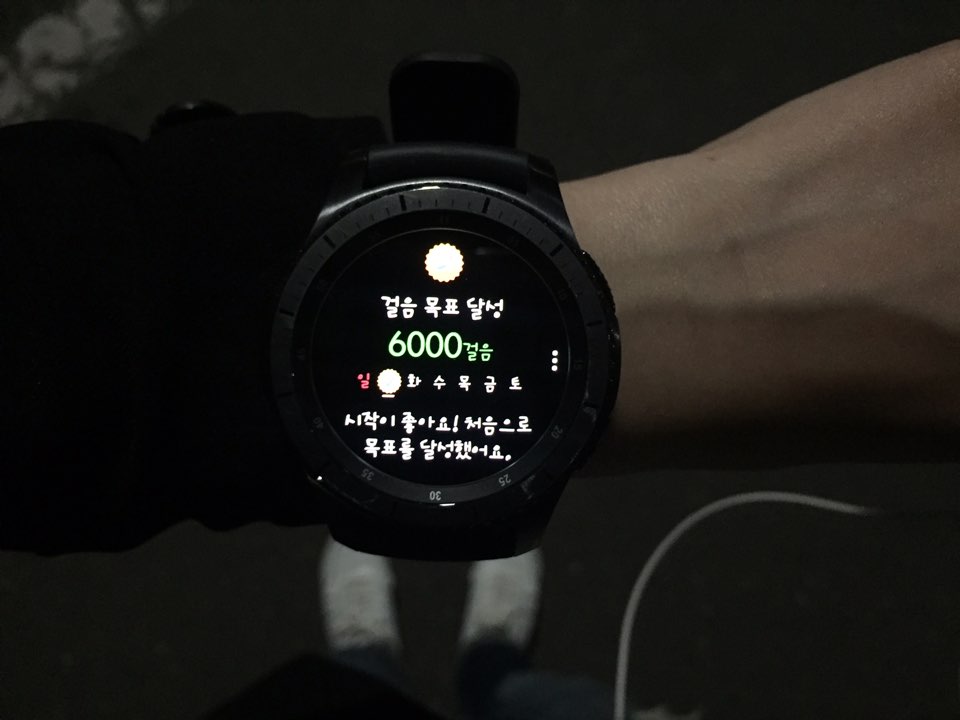
The Gear also has some pretty "friendly" features. Even though I didn't set a daily step goal, it vibrated to congratulate me on reaching 6,000 steps. A single press of the weather button said, "It's mostly cloudy and cool, perfect for outdoor activities," and provided information on fine dust levels, sunset times, UV index, food poisoning index, pollen index, and even the weather for each day of the week.
Heart rate monitoring is a smartwatch-specific feature, but for a healthy young adult, it's fun to measure it when you have free time or after a run. You can play games on the way to work when your bag is too tight to reach for your phone, or read brief articles with the news briefing.
"It's a shame the iPhone and Gear aren't compatible, but I'm using it very well," the hair designer's words came to mind. Due to the nature of his job, he can't carry a cell phone, but he has to constantly check it for client inquiries. He also said, "I use it to manage my time by checking my schedule and using the reminder function while I'm working."
On the other hand, reporters who always have their phones with them felt uncomfortable with the small screen of the Gear and buffering of apps over time. Since the typewriter is small, I often use the emoticon function to reply to KakaoTalk messages rather than writing text.
What about the meeting between iPhone and Gear?
This time, I connected the Gear S3 to my iPhone 6. It's been four months since the official launch of the Gear S app for iPhone. The recommended apps are similar to those of Samsung. I haven't compared the watch faces individually, but there are relatively few classic-feeling apps that are paid for. While it's a significant improvement over the days when watch faces had to be installed separately, compatibility still lags behind Samsung devices.
The email function that used to be supported when connected to a Samsung phone has disappeared, and text messages and KakaoTalk messages can only be checked, not replied to. Samsung Pay, of course, is absent.
Comments
Related news
[Crucial IT Scene] 'Verifying Your Identity with a Smartwatch'
SK Telecom announced on the 25th that it has successfully developed a technology utilizing smartwatches for personal authentication and obtained international certification from the FIDO (Fast IDentity Online) Alliance, a global information authentication standard organization. SK Telecom's "personal authentication technology through smartwatch" is a convenient technology that replaces authentication devices such as security USBs or OTP devices with a smartwatch when conducting financial transactions or logging into specific websites.
2017.01.25by 김지혜 기자
From everyday life to extreme outdoor activities, this smartwatch packs all the features you need.
Garmin announced that it will launch three models of the 'Fenix 5' series and strengthen its strategy to penetrate the domestic smartwatch market. Garmin's new Fenix 5 series is the successor to the Fenix 3, which gained tremendous popularity in the premium smartwatch market. It will be released in three versions: Fenix 5, Fenix 5S, and Fenix 5X, allowing users to select the optimal product according to their body type and primary use case.
2017.04.18by 신윤오 기자
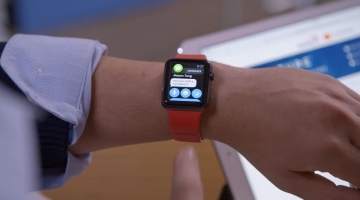
[Foreign Press Briefing] Why Financial Institutions Purchased Hundreds of Apple Watches for Employees
"Human's powerful intuition is information acquisition", "Smartphone applications reduce anxiety", Why did Capital One give hundreds of Apple Watches to employees?, Teenagers anxious due to Facebook surveillance, Student creates dental retainers with 3D printer, "Indian government, 100% electric vehicle sales by 2030"
2017.05.08by 김자영 기자
ESP32 Development Environment Selection and GPS Application Implementation
The ESP32 is a microcontroller that integrates Wi-Fi, Bluetooth, 12-bit ADC, capacitive touch, PWM, DAC, and UART in a single SoC. However, the abundance of features does not by itself solve the designer's problems. The real challenges lie in selecting the appropriate development environment, determining which pins can be used and which must be avoided, and converting raw data from modules into usable information. This document addresses ESP32 peripheral constraints (ADC2 and Wi-Fi coexistence limitation, UART1 occupancy, ADC non-linear regions), the trade-offs between Arduino IDE and ESP-IDF, and the process from connecting NEO-6M/NEO-M8N GPS modules to UART2, parsing NMEA sentences, and visualizing routes in Google Earth, all organized based on documented references.
2026.10.12by 편집부

MIPI CSI-2, DSI-2, C-PHY, D-PHY Test Solution Technical White Paper
The MIPI interface adopts a burst mode that transitions between low-power (LP) and high-speed (HS) states for low-power consumption, and in return, strict timing rules are imposed on state transitions. Additionally, the high-speed section operates as a packet-based protocol with headers, ECC, and CRC, so verification engineers must handle waveforms and protocols simultaneously. Traditional configurations combining general-purpose oscilloscopes and AWGs reveal limitations in setup complexity, measurement uncertainty, and lack of reproducibility when faced with these requirements. This white paper, based on webinar materials, organizes the structure of this problem and describes how the SV5C-DPTXCPTX generator for receiver testing and SV5C-DPRXCPRX analyzer for transmitter testing integrate state transition testing, stressed eye testing, and protocol analysis into a single bench, along with their application boundaries.
2026.10.12by 편집부











